
Magoon: Chrome DevTools Theme Chrome 插件, crx 扩展下载
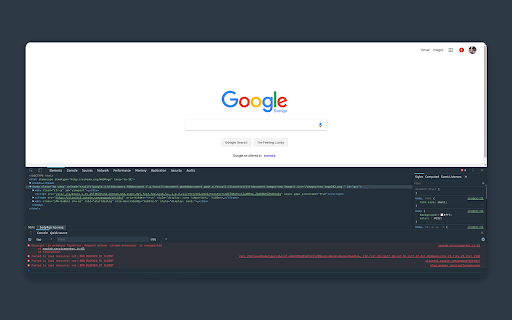
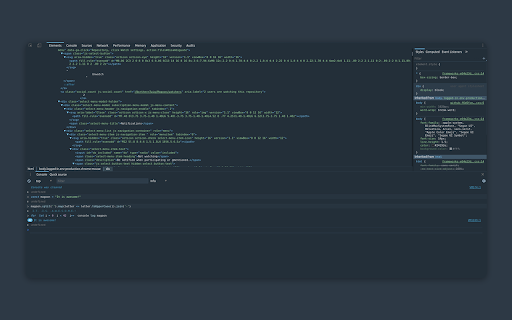
A dark theme called Magoon which is now available for the Chrome Developer Tools.
A theme that makes colors go pop ?, and makes everything look dazzlingly good! ✨
You can find Magoon for other things such as Vscode, Rofi, React DevTools, and Alfred on Github: https://github.com/ntwigs/magoon
How to install
---------------------------------------------------------
- Install this theme.
- Go to the Chrome extension store page and install the extension.
- Open the Developer tools (CTRL + SHIFT + I, CMD + OPTION + I).
- Open the Developer tools settings (the cog in the upper right corner).
- Click on the Experiments tab.
- Check the Allow extensions to load custom stylesheets.
- Reload the Developer tools.
?The Developer tools should now be magoonified! ?
The theme was built with love ?, black metal ?, and waaay to much spare time. ?
Created with the help of Zero Base Themes:
https://github.com/mauricecruz/zero-base-themes
| 分类 | 💻开发者工具 |
| 插件标识 | aaimlcmkljmacmacanfbhfgjkahgaihm |
| 平台 | Chrome |
| 评分 |
☆☆☆☆☆
|
| 评分人数 | |
| 插件主页 | https://chromewebstore.google.com/detail/magoon-chrome-devtools-th/aaimlcmkljmacmacanfbhfgjkahgaihm |
| 版本号 | 4.0.0 |
| 大小 | 39.09KiB |
| 官网下载次数 | 616 |
| 下载地址 | |
| 更新时间 | 2023-01-23 00:00:00 |
CRX扩展文件安装方法
第1步: 打开Chrome浏览器的扩展程序
第2步:
在地址栏输入: chrome://extensions/
第3步: 开启右上角的【开发者模式】
第4步: 重启Chrome浏览器 (重要操作)
第5步: 重新打开扩展程序管理界面
第6步: 将下载的crx文件直接拖入页面完成安装
注意:请确保使用最新版本的Chrome浏览器