
vPass Chrome 插件, crx 扩展下载

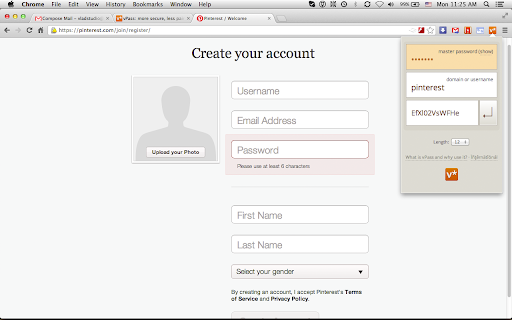
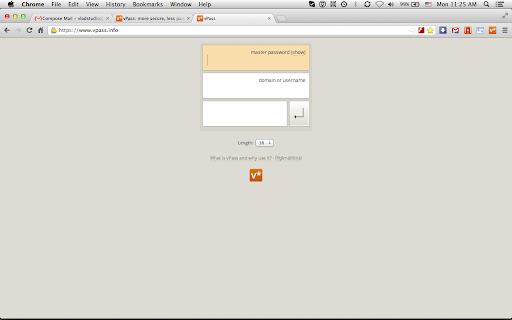
Make your online accounts secure without having to remember hundreds of passwords. Visit https://www.vpass.info for more info.
** Only remember one password
Using one password for all accounts is terribly risky. Remembering unique password for each account is impossible. vPass is the solution: you only need to remember master password, and vPass generates unique password for services you use. Read more.
** Secure by default
vPass generates mix of numbers and letters (by default 12 characters long) which are virtually impossible to brute-force.
** Only takes a couple of key strokes
vPass is very keyboard-friendly. Open web-page, focus on a password field, open vPass, enter master password, hit Enter, done!
** Your master password does not leave your device
There is no data transfer between your browser and vPass server. It's 100% client-side. You can even host vPass yourself, for ultimate security.
** Works on any platform with web browser
Windows, Mac OS X, Linux, Android, iOS, Windows Phone, webOS, and any future OS too.
** Works for any service, not only web
You can generate password no just for web service, but for anything that can be referred to as "username". I actually use it to secure passwords for Linux users such as "root", "www", etc.
| 分类 | 📝工作流程与规划 |
| 插件标识 | abadcojegfgglajifpanpaccmmiefoid |
| 平台 | Chrome |
| 评分 |
☆☆☆☆☆
|
| 评分人数 | |
| 插件主页 | https://chromewebstore.google.com/detail/vpass/abadcojegfgglajifpanpaccmmiefoid |
| 版本号 | 25.2.3.0 |
| 大小 | 30.1KiB |
| 官网下载次数 | 92 |
| 下载地址 | |
| 更新时间 | 2013-02-09 00:00:00 |
CRX扩展文件安装方法
第1步: 打开Chrome浏览器的扩展程序
第2步:
在地址栏输入: chrome://extensions/
第3步: 开启右上角的【开发者模式】
第4步: 重启Chrome浏览器 (重要操作)
第5步: 重新打开扩展程序管理界面
第6步: 将下载的crx文件直接拖入页面完成安装
注意:请确保使用最新版本的Chrome浏览器