
RxJS Devtools Chrome 插件, crx 扩展下载
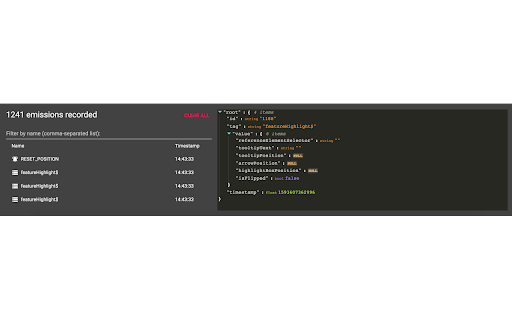
RxJS DevTools extension for debugging streams
This devtools extension allows you to debug your RxJS stream emissions by hooking into the rxjs-spy debugging library.
To use this in your application, you must first set up rxjs-spy and rxjs-spy-devtools-plugin (https://github.com/ardoq/rxjs-devtools/tree/master/packages/rxjs-spy-devtools-plugin) in your RxJS application, which allows the extension to hook into your RxJS streams and inspect stream values.
The project was inspired by rxjs-spy-devtools
v0.0.3
- Simplified extension layout
- Improved warning and increased emission limit to 5000
- Added button to clear all recorded emissions
v0.0.2
- Ability to filter observable tags
- Better performance
v0.0.1
- Initial version
Full changelog: https://github.com/ardoq/rxjs-devtools/commits/master
This extension is open-source - contributions and feedback are welcome!
Github repository: https://github.com/ardoq/rxjs-devtools
| 分类 | 💻开发者工具 |
| 插件标识 | abgkgpfkdkafjidfgcjddeffnfnkoeil |
| 平台 | Chrome |
| 评分 |
☆☆☆☆☆
|
| 评分人数 | |
| 插件主页 | https://chromewebstore.google.com/detail/rxjs-devtools/abgkgpfkdkafjidfgcjddeffnfnkoeil |
| 版本号 | 0.33.1.0 |
| 大小 | 350KiB |
| 官网下载次数 | 2000 |
| 下载地址 | |
| 更新时间 | 2020-09-08 00:00:00 |
CRX扩展文件安装方法
第1步: 打开Chrome浏览器的扩展程序
第2步:
在地址栏输入: chrome://extensions/
第3步: 开启右上角的【开发者模式】
第4步: 重启Chrome浏览器 (重要操作)
第5步: 重新打开扩展程序管理界面
第6步: 将下载的crx文件直接拖入页面完成安装
注意:请确保使用最新版本的Chrome浏览器