
BWList Chrome 插件, crx 扩展下载
Blacklist and Whitelist URLs
Blocks URLs based on simple blacklist and whitelist.
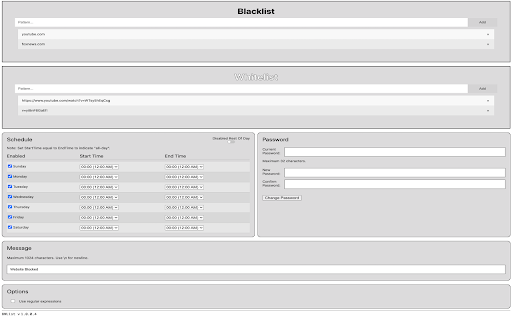
The primary intent of this extension is to keep kids from browsing YouTube during the day except for whitelisted school videos, but many other uses are possible. Any domain or class of URLs can be blocked with simple patterns.
URLs are blocked if any entry in the blacklist is a substring of the URL, and there is no matching substring in the whitelist. This allows you to block entire domains but grant permission to specific URLs.
For example:
Blacklist:
youtube.com
Whitelist:
v=WTsy5hEqCsg
All of YouTube will be blocked, but this specific video is allowed:
https://www.youtube.com/watch?v=WTsy5hEqCsg
Lists are set via the extension Options page. Lists are stored in synced Google storage, and will sync across browsers if Google sync is enabled and the extension is installed.
Note: There is an option to perform regular expression matching on URLs instead of simple substring matching, if you're so inclined. I don't think this is necessary for most uses, but the option is there nevertheless. ES6 regular expression syntax applies.
Blocking can be enabled/disabled and scheduled independently for each day of the week in the Schedule section of the Options page.
Blocking can be disabled for the rest of the day in the Schedule section of the Options page. I use this to allow my kids to browse freely after all their schoolwork is done. The flag will reset at midnight.
The default password is "12345".
The password can be changed on the Options page, and I strongly recommend you do so.
Make sure to write your password down. If you forget your password there is no way to reset it. The extension will need to be uninstalled and reinstalled, and you will lose all your settings.
The options page is accessible for 2 minutes after the password is entered. After that the password will need to be re-entered to access the options page again.
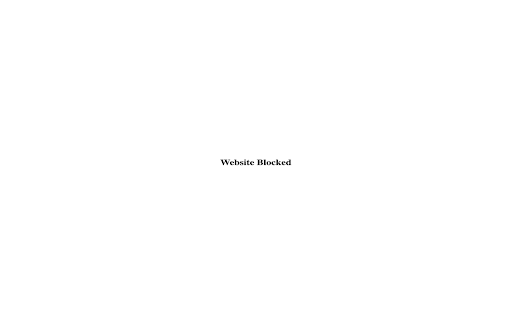
The message that is displayed to the user when a site is blocked can be set on the options page. HTML is not allowed in the message, for security reasons.
Absolutely no user data is stored or collected.
No website data other than the URL is even inspected at all.
| 分类 | ♿无障碍访问 |
| 插件标识 | acfjibngajioenhoaodeinmejahmamho |
| 平台 | Chrome |
| 评分 |
☆☆☆☆☆
|
| 评分人数 | |
| 插件主页 | https://chromewebstore.google.com/detail/bwlist/acfjibngajioenhoaodeinmejahmamho |
| 版本号 | 2.19.1 |
| 大小 | 41.65KiB |
| 官网下载次数 | 23 |
| 下载地址 | |
| 更新时间 | 2021-04-14 00:00:00 |
CRX扩展文件安装方法
第1步: 打开Chrome浏览器的扩展程序
第2步:
在地址栏输入: chrome://extensions/
第3步: 开启右上角的【开发者模式】
第4步: 重启Chrome浏览器 (重要操作)
第5步: 重新打开扩展程序管理界面
第6步: 将下载的crx文件直接拖入页面完成安装
注意:请确保使用最新版本的Chrome浏览器