
YoHubs - Stay in Touch Chrome 插件, crx 扩展下载
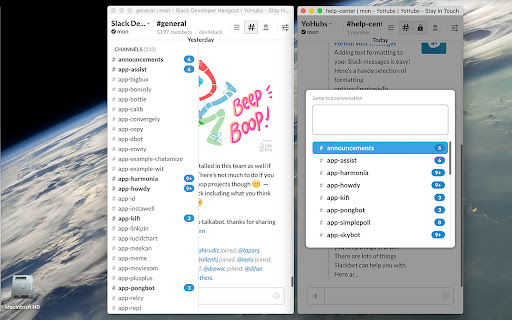
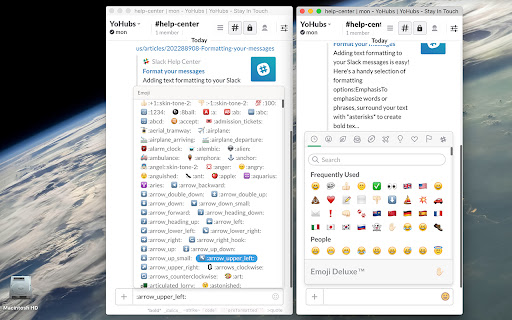
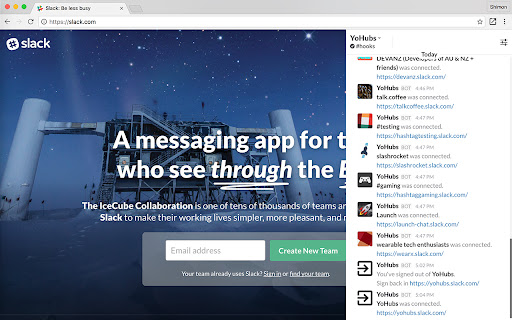

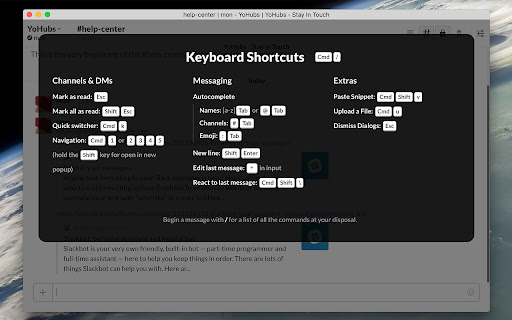
Catch up with Slack outside the Box.
Limited Edition: https://goo.gl/Ksdu4E
Without permission request, suitable for use with the popup.
---------------------------------------------
YoHubs collects all your teams at one place, right in your browser. Stay on top of every conversation and instantly reply to any message from one centralized place. YoHubs is a new face of your Slack that you will enjoy seeing every day.
YoHubs doesn’t have access to your Slack. Everything is happening in your browser and all settings are saved in your local storage. We do not collect or store any information about you and your conversations, public or private are not available to us in any way.
For more tips, along with news and announcements, follow us on Twitter:
https://twitter.com/yohubs
---------------------------------------------
0.0.4:
- Sidebar Resizable: Available for resizing.
- All Unreads: Show unread channels of all teams.
- Message Threads: Quick updated for display threading messages.
- Sidebar Toggle: Show/hide Sidebar by one Click and support Keyboard Shortcuts.
0.0.3:
- Notification: Sign In / Out notification.
- Reset Data: Clear all extension storage.
- Configuration: Automation / Ask for sign in.
0.0.2:
- Cross team Jumper: Jump to everywhere using ⌘ + k.
- Emoji reactions: Add / Remove a reaction.
- Message Buttons: Interactive with buttons.
- Upload and share files: Drag and drop, Copy and paste, Upload a file.
- Create a snippet: Share bits of code or text with your team.
- Keyboard shortcuts: Open list of keyboard shortcuts ⌘ + /.
- Set unread point: Mark messages as unread using Alt + Click.
0.0.1:
- Hubs: Easy way to connecting with Slack teams.
- Hooks: Receive all your team's messages at #hooks.
- Popups: Open channel in the popups.
- Mark messages read: ESC / shift + ESC.
- Autocomplete: @username / #channel / :emoji.
- Emoticons: Type the emoji code / Select from the emoji menu.
- Message shortcuts: Same way with Slack apps.
- Slash Command: Send slash command with/without suggestions.
- Jump to Slack: Jump directly to the message on Slack app.
| 分类 | 👥社交 |
| 插件标识 | acgkfoonbncfblkndjlpmhchicibdpna |
| 平台 | Chrome |
| 评分 |
☆☆☆☆☆
|
| 评分人数 | |
| 插件主页 | https://chromewebstore.google.com/detail/yohubs-stay-in-touch/acgkfoonbncfblkndjlpmhchicibdpna |
| 版本号 | 3.128.4 |
| 大小 | 6.5MiB |
| 官网下载次数 | 17 |
| 下载地址 | |
| 更新时间 | 2019-03-08 00:00:00 |
CRX扩展文件安装方法
第1步: 打开Chrome浏览器的扩展程序
第2步:
在地址栏输入: chrome://extensions/
第3步: 开启右上角的【开发者模式】
第4步: 重启Chrome浏览器 (重要操作)
第5步: 重新打开扩展程序管理界面
第6步: 将下载的crx文件直接拖入页面完成安装
注意:请确保使用最新版本的Chrome浏览器