
Animated Gif Capture Chrome 插件, crx 扩展下载


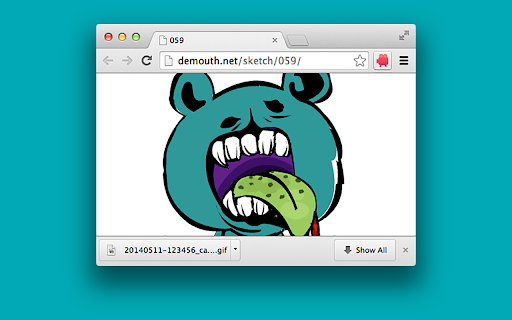
Capture visible content of a tab, desktop screen, or selected application window as a animated GIF image.
The Animated Gif Capture Chrome extension helps you convert screen capture to animated GIF image.
Capture visible content of a tab, desktop screen, or selected application window as a animated GIF image.
Features.
- Adds a browser action to capture the screen.
- Configurable through an options page.
How it works :
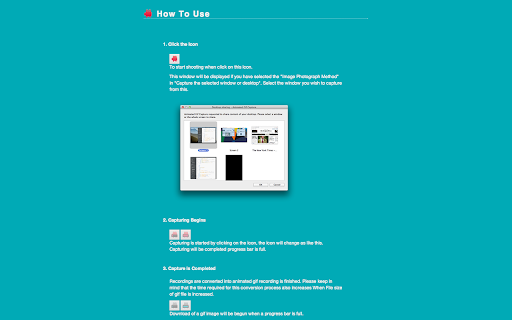
- Click on the extension icon to start the capture.
- Capture begins, the shape of the extension icon will change. Remaining time of recording is displayed on the icon.
- Capture is complete, the conversion process to the animated GIF will begin. Time remaining is displayed in the icon as well.
- Conversion of the animated GIF is finished, the image will be downloaded automatically.
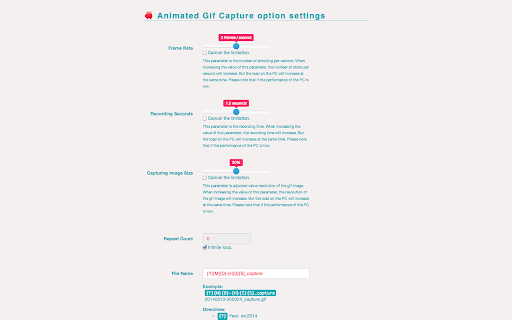
- Settings for the recordings, can be modified using your right mouse button over the extension icon and choosing "Options”.
- How to use is listed in the options page.
Contact Us: http://demouth.net/
Github: https://github.com/demouth/AnimatedGifCapture
| 分类 | 🎨艺术与设计 |
| 插件标识 | aecmckhhfknljgicfkpbinfkpnijehcm |
| 平台 | Chrome |
| 评分 |
☆☆☆☆☆
|
| 评分人数 | |
| 插件主页 | https://chromewebstore.google.com/detail/animated-gif-capture/aecmckhhfknljgicfkpbinfkpnijehcm |
| 版本号 | 1.2.5 |
| 大小 | 1.53MiB |
| 官网下载次数 | 5000 |
| 下载地址 | |
| 更新时间 | 2021-10-30 00:00:00 |
CRX扩展文件安装方法
第1步: 打开Chrome浏览器的扩展程序
第2步:
在地址栏输入: chrome://extensions/
第3步: 开启右上角的【开发者模式】
第4步: 重启Chrome浏览器 (重要操作)
第5步: 重新打开扩展程序管理界面
第6步: 将下载的crx文件直接拖入页面完成安装
注意:请确保使用最新版本的Chrome浏览器