
Buy Localized - Made in USA filter on Amazon Chrome 插件, crx 扩展下载
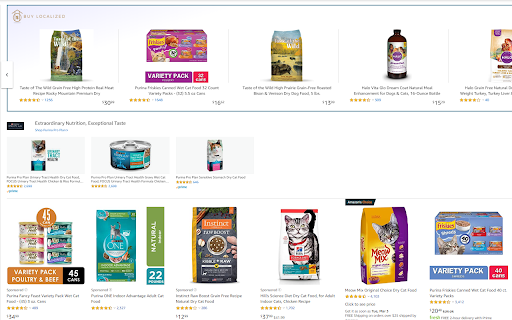

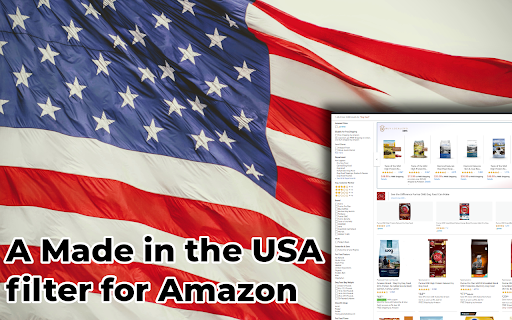
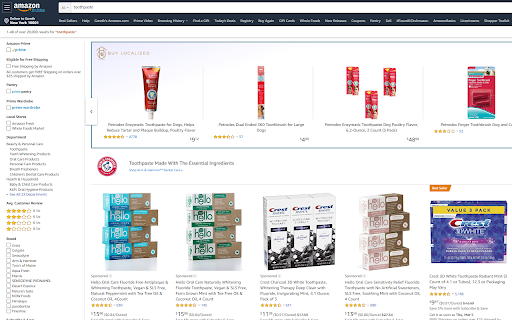
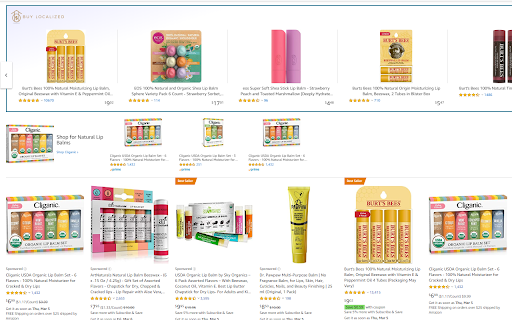
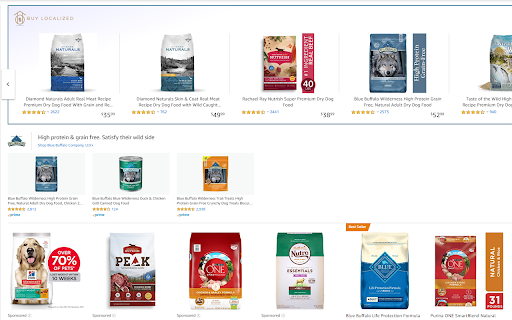
This extension will tag Amazon.com products with their country of origin
Our Extension shows you American made products on Amazon.com. Our research team has so far found more than 450,000 made in the USA listings on Amazon, and as you browse Amazon we show them to you. We started this because so many people are researching where things are from individually, we decided to do it once and show it the easiest way we could think of. We are passionate about buying local and supporting your community, and we want to make it easy!
You can read about our standards for declaring something made in the USA here: https://www.buylocalized.com/articles/what-does-american-made-mean-to-us/
We have no affiliation with Amazon.com, and all the identified products are as a result of our own research, we get it wrong sometimes.
UPDATES
------ Dec 30th 2020 v0.9.2.2 -------
- flags now show up in the "Compare with similar items" section
------ Dec 26th 2020 v0.9.2.1 -------
- removed very ugly list of categories from the popup
- fixed disappearing products from the popup
------ Dec 23rd 2020 v0.9.2.0 -------
- added little flags to USA-made products on search pages
- added toggle-switch to easily enable and disable features
- fixed left/right button of the extension bar
- BuyLocalized now works on individual product pages too, tagging American Made products
------ Dec 07th 2020 v0.9.1.3 -------
- improved the filtering and user experience in the popover
------ Dec 04th 2020 v0.9.1.0 -------
- Critical fix after amazon.com front-end changes
- big improvements to UX (caching)
------ Sept 8th 2020 v0.9.0.5 -------
-Added announcement system
------ July 2nd 2020 v0.9.0.4 -------
- Search within extension
- Filter by Category/Brand
| 分类 | 🛍️购物 |
| 插件标识 | aicfbaaflkellfmamfiaanaeanfobiah |
| 平台 | Chrome |
| 评分 |
☆☆☆☆☆
|
| 评分人数 | |
| 插件主页 | https://chromewebstore.google.com/detail/buy-localized-made-in-usa/aicfbaaflkellfmamfiaanaeanfobiah |
| 版本号 | 1.5.1 |
| 大小 | 883KiB |
| 官网下载次数 | 1000 |
| 下载地址 | |
| 更新时间 | 2021-01-01 00:00:00 |
CRX扩展文件安装方法
第1步: 打开Chrome浏览器的扩展程序
第2步:
在地址栏输入: chrome://extensions/
第3步: 开启右上角的【开发者模式】
第4步: 重启Chrome浏览器 (重要操作)
第5步: 重新打开扩展程序管理界面
第6步: 将下载的crx文件直接拖入页面完成安装
注意:请确保使用最新版本的Chrome浏览器