
Lo-Fi Radio Chrome 插件, crx 扩展下载
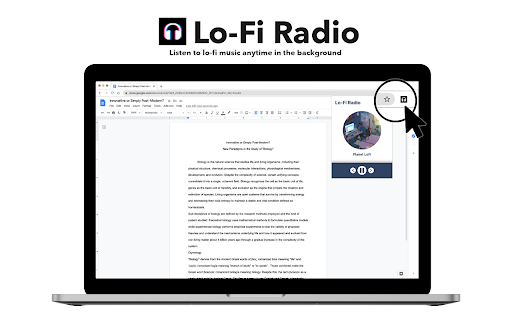
Listen to lo-fi music anytime in the background.
With Lo-Fi Radio, you can now tune into lo-fi music anytime you want in the background while continuing to do your work. Simply click on the Lo-Fi Radio icon, select a lo-fi station and play!
We love to hear your comments!
v1.0.2
- Improved performance when loading
v1.0.1
- Added premium plan for only $0.99/one-time
- Free plan is still FREE!
v1.0.0 (Official Release)
- Added 2 more radio stations, now for a total of 7 stations
- Slightly updated the UI of the app
- Fixed a few bug mentioned in feedback
Happy Listening!! ?
v0.1.1 (Beta)
- Addressed music stopping while playing
- Added 2 more radio stations!
- Slightly revamped the aesthetic of the app
v0.1.0 (Beta)
Beta Release?
| 分类 | 📝工作流程与规划 |
| 插件标识 | akkbfbediahdidlgbanghdmbfbkdbioj |
| 平台 | Chrome |
| 评分 |
☆☆☆☆☆
|
| 评分人数 | |
| 插件主页 | https://chromewebstore.google.com/detail/lo-fi-radio/akkbfbediahdidlgbanghdmbfbkdbioj |
| 版本号 | 25.2.3.0 |
| 大小 | 5.18MiB |
| 官网下载次数 | 1000 |
| 下载地址 | |
| 更新时间 | 2024-04-02 00:00:00 |
CRX扩展文件安装方法
第1步: 打开Chrome浏览器的扩展程序
第2步:
在地址栏输入: chrome://extensions/
第3步: 开启右上角的【开发者模式】
第4步: 重启Chrome浏览器 (重要操作)
第5步: 重新打开扩展程序管理界面
第6步: 将下载的crx文件直接拖入页面完成安装
注意:请确保使用最新版本的Chrome浏览器