
MapsOfMind: Save to mindmap Chrome 插件, crx 扩展下载
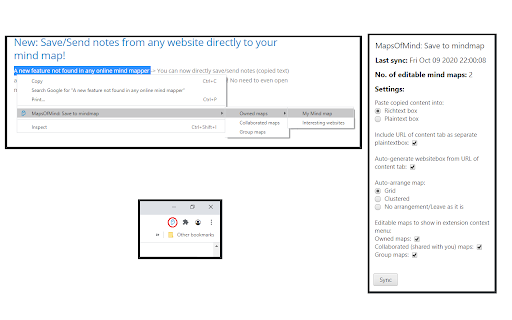
Save the selected text from the active tab to your MapsOfMind map.
Have you ever wanted to save text snippets and urls from the websites you visit and create a mind map automatically from it? With this MapsOfMind extension, you can now send any text directly to your mind map with a single click!
Note: You need a MapsOfMind account to use this extension! (Signup: https://mapsofmind.com/signup)
About MapsOfMind (www.mapsofmind.com): With over 25,000 users, MapsOfMind is the most versatile online mind mapping tool. Add rich text, documents, comments, todo boxes and more to your mind map! Unlimited customizations allow you to create a mind map that's truly yours with recent updates we have even more useful mind mapping features!
Check out our new features here: https://www.mapsofmind.com/help/whats_new_in_mapsofmind
| 分类 | 📝工作流程与规划 |
| 插件标识 | aldnceeapjjfjgdikefcjhapdmjijdam |
| 平台 | Chrome |
| 评分 |
☆☆☆☆☆
|
| 评分人数 | |
| 插件主页 | https://chromewebstore.google.com/detail/mapsofmind-save-to-mindma/aldnceeapjjfjgdikefcjhapdmjijdam |
| 版本号 | 25.2.3.0 |
| 大小 | 25.93KiB |
| 官网下载次数 | 17 |
| 下载地址 | |
| 更新时间 | 2020-11-05 00:00:00 |
CRX扩展文件安装方法
第1步: 打开Chrome浏览器的扩展程序
第2步:
在地址栏输入: chrome://extensions/
第3步: 开启右上角的【开发者模式】
第4步: 重启Chrome浏览器 (重要操作)
第5步: 重新打开扩展程序管理界面
第6步: 将下载的crx文件直接拖入页面完成安装
注意:请确保使用最新版本的Chrome浏览器