
Save Code Chrome 插件, crx 扩展下载

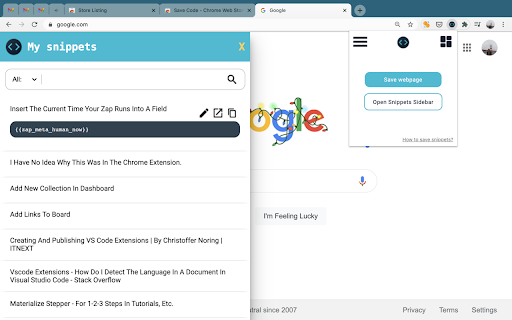
Save, organize & share code snippets that work
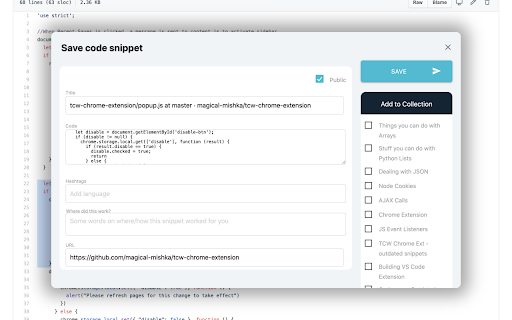
This tool is for saving that one piece of code that worked after (what seems like an eternity) of searching, trying and searching again.
Save that code snippet for the next time you'll need it.
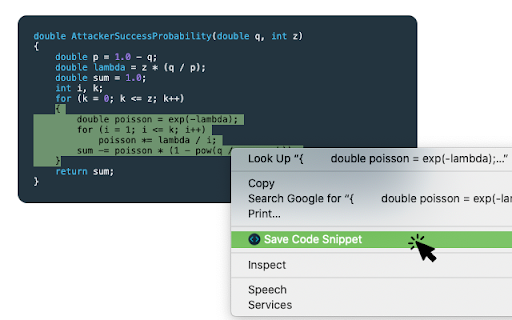
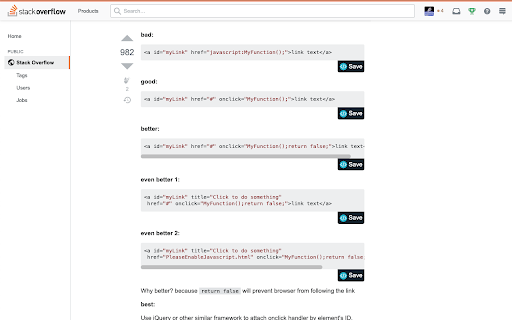
This extension saves code snippets that you across on the web, as well as, useful webpages that help you with coding. All you have to do is click the "save" button that appears below snippets or just select text anywhere and right-click to save! You can organize your code in collections and access it anytime from the web hosted on thiscodeworks.com.
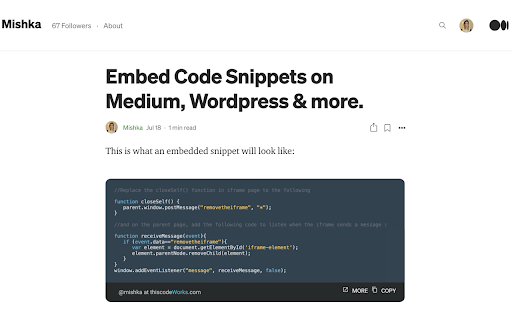
This extension syncs with the web app and Visual Studio Code extension. You can also share your snippets as a link, image, or embeddable HTML iframe.
(If you come across some bugs or issues, please let us know right away at [email protected]. Thanks!)
| 分类 | 💻开发者工具 |
| 插件标识 | annlhfjgbkfmbbejkbdpgbmpbcjnehbb |
| 平台 | Chrome |
| 评分 |
☆☆☆☆☆
|
| 评分人数 | |
| 插件主页 | https://chromewebstore.google.com/detail/save-code/annlhfjgbkfmbbejkbdpgbmpbcjnehbb |
| 版本号 | 8.3 |
| 大小 | 116KiB |
| 官网下载次数 | 4000 |
| 下载地址 | |
| 更新时间 | 2021-06-23 00:00:00 |
CRX扩展文件安装方法
第1步: 打开Chrome浏览器的扩展程序
第2步:
在地址栏输入: chrome://extensions/
第3步: 开启右上角的【开发者模式】
第4步: 重启Chrome浏览器 (重要操作)
第5步: 重新打开扩展程序管理界面
第6步: 将下载的crx文件直接拖入页面完成安装
注意:请确保使用最新版本的Chrome浏览器