
Cumulus Web Beta Chrome 插件, crx 扩展下载

Helping users of the Plex Manufacturing Cloud by adding custom functionality.
This is a Beta testing version of the Cumulus Web plugin, our developers release new versions here first for testing and review by our customers.
Cumulus Consulting LLC, is proud to provide users of the Plex Manufacturing Cloud with a custom based plug-in to solve individual and specific needs within the Plex Community.
This plug-in allows Cumulus Developers to enhance existing screens within the Plex Manufacturing Cloud and provide additional functionality that goes beyond the standard Vision Plex screens customers are used to.
Our current release includes the following features:
General:
• Cumulus App Store built in to Plex
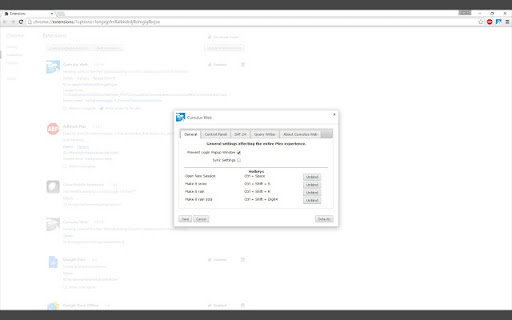
• User defined settings & hotkeys
○ Option to sync settings with Google account
○ Enterprise configuration via Microsoft Group Policy
• Test environment sandbox
Navigation:
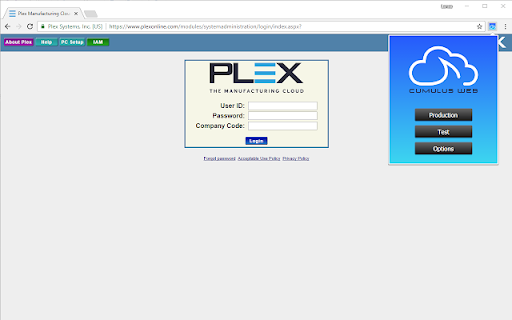
• Quick links to Production and Test Environments
• Tabbed browsing
○ Login without pop-ups
○ Open in New Tab / Open in New Window spawns new session
○ Launch new session into tab
• Right-click context menu re-enabled
• Menu search for VisionPlex screens & reports
Global Hotkey Functions:
• Launch a new session
• Make it snow on the screen
• Refresh the page
Export Everywhere:
• Download to .txt or .csv from any grid in Plex (Excel and .xml in the works)
• Options:
○ Exclude, rename, and rearrange columns
○ User-defined field delimiters and line endings
○ Include/exclude header rows
○ Make columns fixed-width with padding and alignment
○ Escape fields (wrap in quotes)
Universal Upload:
• Highly configurable system allowing for customer-funded development of add, update, or delete uploads
Accounting:
• SAT 24 integration for customers in Mexico
Control Panel
• Scan a part barcode to switch workcenter setup
• Part images on Kanban Racks & Dispatch screens
• Record production "cooldown" - prevent rapid recording
• Hotkey functions:
○ Record Production
○ Increment Production Quantity
○ Decrement Production Quantity
• Master Unit Helper to assist with master units on the control panel
○ Warns when master units are full
○ Prevents mixed master units
○ Repopulates master unit field after recording production
○ Prints selected master unit rather than last used
• Improved Pack to Box functionality
• Reprint Last Container button
Scheduling
• Enhanced Kanban manager & setup
Workcenter Requirements
• Visual dashboard with timers for workcenter source requirements
Shipping
• Three-dimensional truck cubing application to split up scheduled releases
• Integration with UPS to validate addresses, compare rates, and submit and track shipments
• Master unit build validation and planning
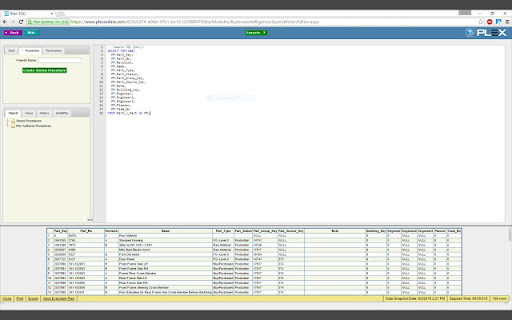
SQL Development Environment:
• Prevent accidental window closures
• Execute highlighted SQL
• Cancel current running SQL
• Hotkey functions:
○ Execute query
○ Save stored procedure
○ Cancel current query
• Query Output Panel
○ Fancy status bar
○ Row numbers
○ Total row count
○ Current execution timer
• Collapsible Navigation Pane
| 分类 | 📝工作流程与规划 |
| 插件标识 | aohohljhdaoocopkonnibfchooglcjmj |
| 平台 | Chrome |
| 评分 |
☆☆☆☆☆
|
| 评分人数 | |
| 插件主页 | https://chromewebstore.google.com/detail/cumulus-web-beta/aohohljhdaoocopkonnibfchooglcjmj |
| 版本号 | 25.2.3.0 |
| 大小 | 1.75MiB |
| 官网下载次数 | 115 |
| 下载地址 | |
| 更新时间 | 2021-03-26 00:00:00 |
CRX扩展文件安装方法
第1步: 打开Chrome浏览器的扩展程序
第2步:
在地址栏输入: chrome://extensions/
第3步: 开启右上角的【开发者模式】
第4步: 重启Chrome浏览器 (重要操作)
第5步: 重新打开扩展程序管理界面
第6步: 将下载的crx文件直接拖入页面完成安装
注意:请确保使用最新版本的Chrome浏览器