
Twitch Randomizer Chrome 插件, crx 扩展下载
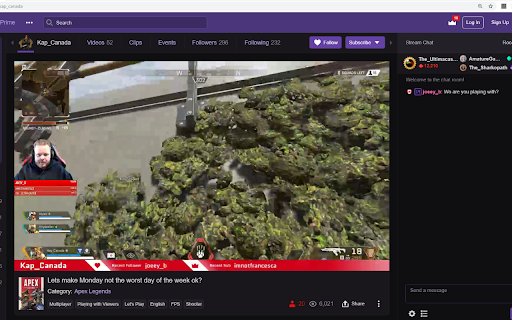

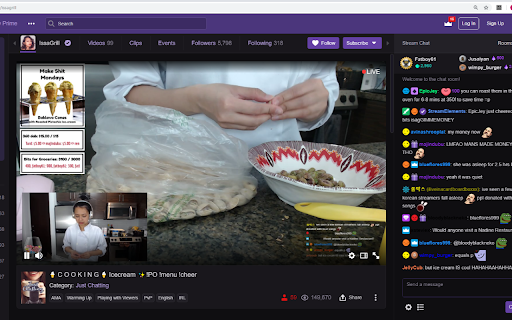
Twitch Randomizer a simple extension that takes you to a random live twitch stream.
Click on the extension icon to go to a random stream.
Update 0.3.5:
Auth patch
Update 0.3.4:
search with multiple languages selected
added Turkish language
Update 0.3.3:
fix 401 error
Update 0.3.2:
Update calls to meet new twitch api requirements
Update 0.2.2:
Added option for browsing only bottom 90% of Just Chatting
Improved handling and prevention for 429 errors
Update 0.2.0:
Added caching to lessen the chance of 429 status codes
Added an options page to allow users to select the language of the random stream
Currently available languages: English, Spanish, French, Chinese, Korean, German, Russian
Deepen search to increase overall randomness
| 分类 | 🎉趣味休闲 |
| 插件标识 | aojlfcegfljfegdcfakcjomdogmehfnf |
| 平台 | Chrome |
| 评分 |
☆☆☆☆☆
|
| 评分人数 | |
| 插件主页 | https://chromewebstore.google.com/detail/twitch-randomizer/aojlfcegfljfegdcfakcjomdogmehfnf |
| 版本号 | 3.1.7 |
| 大小 | 48.25KiB |
| 官网下载次数 | 157 |
| 下载地址 | |
| 更新时间 | 2021-11-13 00:00:00 |
CRX扩展文件安装方法
第1步: 打开Chrome浏览器的扩展程序
第2步:
在地址栏输入: chrome://extensions/
第3步: 开启右上角的【开发者模式】
第4步: 重启Chrome浏览器 (重要操作)
第5步: 重新打开扩展程序管理界面
第6步: 将下载的crx文件直接拖入页面完成安装
注意:请确保使用最新版本的Chrome浏览器