
DOC Converter Chrome 插件, crx 扩展下载
Convert one or more files in more formats
Online HTML or PDF Converter.
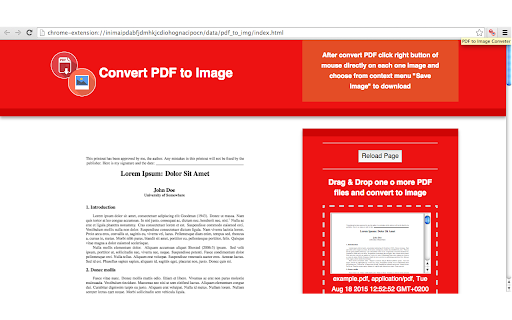
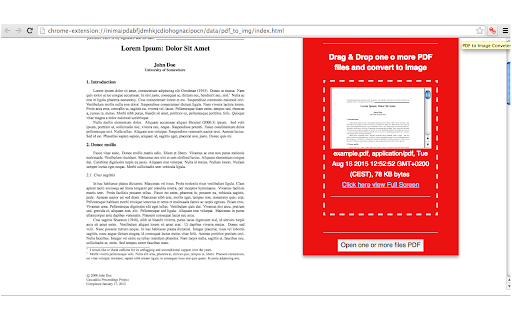
Drag or upload your PDF files directly from your file system and get a preview of the content within the extension, with details regarding the document information and a link that allows you to view the PDF in full-screen mode
================
Release 2.6.3 - Tabs permission removed
Release 2.6.2 (next release) - Fixed some bugs to convert online documents
Release 2.5.3 - Added updated pdfjs library to convert pdf files in client side webapp
Release 2.5.2 - Added some required permissions to file manifest of extension
================
Release 2.5.0
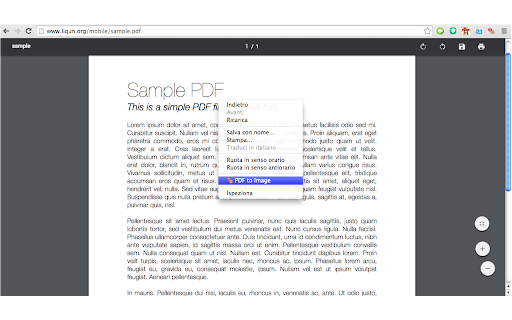
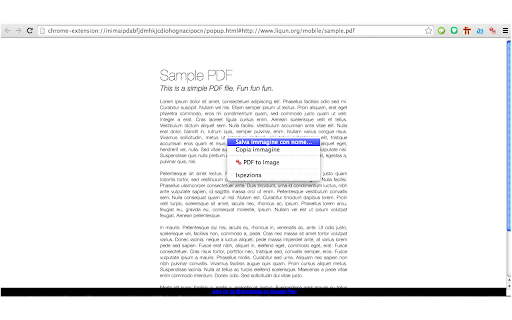
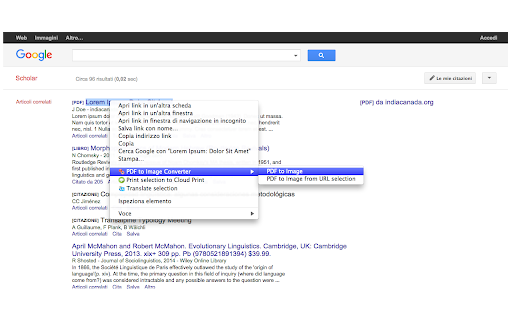
Convert urls of online web page or pdf documents with this extension browser using context-menu. See extension in action in screenshots below
=======================
Features
- Convert one or more flles PDF
- Immediate preview of the content
- Detailed PDF document
- Link to view your PDF in full-screen mode
- Zoom, rotate and fit to screen
- Printing
- Instant Download
- Pdf to image using context menu *
- Pdf to image from link of pdf file using context menu
* P.S. This feature of the context menu works just in web pages with the preview PDF and not all web pages - see the fourth screenshot
Release 2.0 - Now, when you want convert pdf to image using context menu, you can choose the second option "PDF to image with pagination"
Release 1.1.3 - Convert pdf to image in preview mode using context menu of your Chrome
Release 1.1.0 - Now You can convert PDF directly from link
| 分类 | 📝工作流程与规划 |
| 插件标识 | apbckjfldaonennodlaigjafkkfhfapp |
| 平台 | Chrome |
| 评分 |
☆☆☆☆☆
|
| 评分人数 | |
| 插件主页 | https://chromewebstore.google.com/detail/doc-converter/apbckjfldaonennodlaigjafkkfhfapp |
| 版本号 | 25.2.3.0 |
| 大小 | 1.3MiB |
| 官网下载次数 | 36 |
| 下载地址 | |
| 更新时间 | 2024-06-07 00:00:00 |
CRX扩展文件安装方法
第1步: 打开Chrome浏览器的扩展程序
第2步:
在地址栏输入: chrome://extensions/
第3步: 开启右上角的【开发者模式】
第4步: 重启Chrome浏览器 (重要操作)
第5步: 重新打开扩展程序管理界面
第6步: 将下载的crx文件直接拖入页面完成安装
注意:请确保使用最新版本的Chrome浏览器