
Reminders Chrome 插件, crx 扩展下载
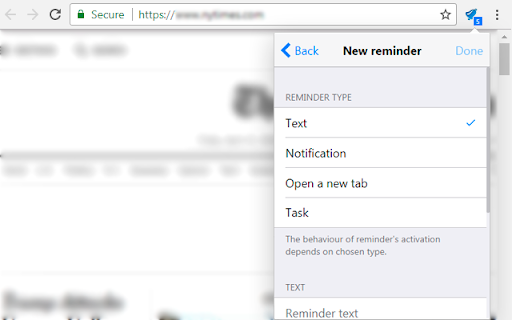
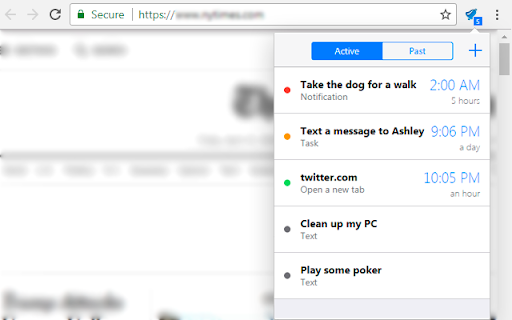
Create scheduled reminders of different types, such as static text, notification, opening URL in new tab and task.
Reminders is a simple and yet functional tool that won't let you forget anything important.
You can create a reminder of four types:
1. Text. A reminder of this type will just be displayed in the list of all reminders and could be removed from there whenever you want.
2. Notification. When creating a reminder of this type you will be required to set the time when the notification with your text will be activated.
3. A new tab. This type is very similar to notification, but instead of notifying it will open a new browser tab with a URL provided by you.
4. Task. Looks like notification but has two buttons which allow you either to mark a reminder as done or postpone the time of its next activation.
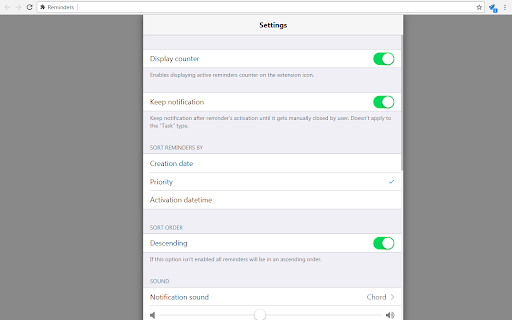
Reminders of type 2 and 3 can also have a repeat option. Besides that, these types support playing a small sound when activated, which tune and volume you can set in the extension's options.
UPDATE (1.1.3):
- added possibility to set your own default reminder parameters;
- some minor fixes.
UPDATE (1.1.2):
- some minor fixes.
UPDATE (1.1.1):
- added possibility to change a size of the extension's popup window;
- added possibility to set a custom period of reminder repeating;
- some minor fixes.
UPDATE (1.1.0):
- synchronization between browsers logged in with the same Google account;
- added a new reminder type "Task";
- added a reset button that restores extension's default settings;
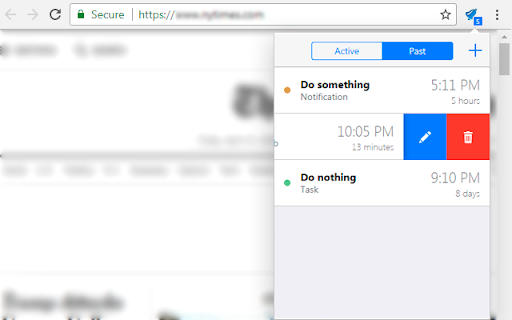
- main reminder list is now splitted into the two parts, active and past reminders;
- some minor fixes.
| 分类 | ♿无障碍访问 |
| 插件标识 | aplgdhgdhfeipojcjbhchmolaolealnd |
| 平台 | Chrome |
| 评分 |
☆☆☆☆☆
|
| 评分人数 | |
| 插件主页 | https://chromewebstore.google.com/detail/reminders/aplgdhgdhfeipojcjbhchmolaolealnd |
| 版本号 | 1.1.3 |
| 大小 | 1.78MiB |
| 官网下载次数 | 70000 |
| 下载地址 | |
| 更新时间 | 2018-05-06 00:00:00 |
CRX扩展文件安装方法
第1步: 打开Chrome浏览器的扩展程序
第2步:
在地址栏输入: chrome://extensions/
第3步: 开启右上角的【开发者模式】
第4步: 重启Chrome浏览器 (重要操作)
第5步: 重新打开扩展程序管理界面
第6步: 将下载的crx文件直接拖入页面完成安装
注意:请确保使用最新版本的Chrome浏览器