
Salesforce Case Notifier Chrome 插件, crx 扩展下载
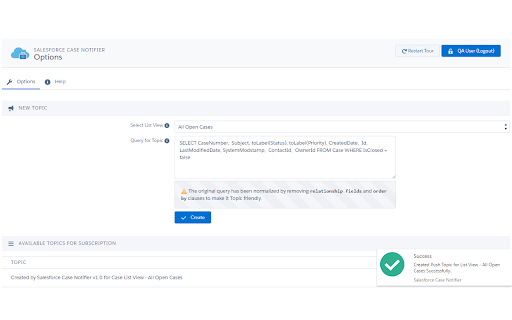
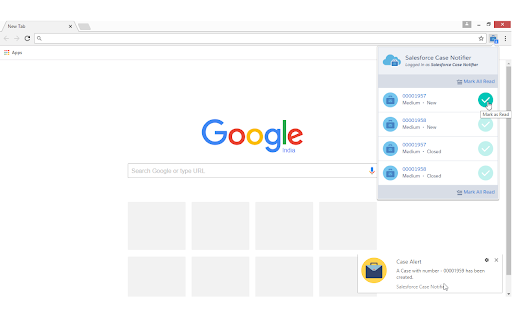
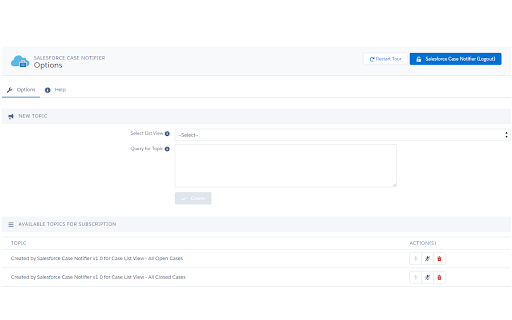
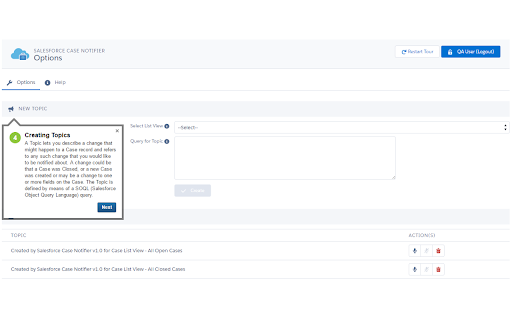
Instant Desktop Notifications when a Case arrives in your Salesforce.com Org.
Does your day involve constantly watching and refreshing your Salesforce org for support Cases recently logged by customers? If the answer is yes, then we have just the thing for you.
We understand that your customer expects instant gratification and responses to their problems. That's why we wanted to ensure that you never miss a notification from them. We bring you the Salesforce Case Notifier - a Chrome Extension that can make your life a whole lot easier.
You can now get instant Desktop Notifications each time a customer raises a Case. The best part is that you don't even have to be logged into your Salesforce org! All you need is a working internet connection and an open browser and you are good to go. So you know what that means - you now have more time for your favorite cat videos!
made with love from dazeworks
www.dazeworks.com
| 分类 | 📝工作流程与规划 |
| 插件标识 | baabbccjecolffbbbikjcmdnpfdnpimi |
| 平台 | Chrome |
| 评分 |
☆☆☆☆☆
|
| 评分人数 | |
| 插件主页 | https://chromewebstore.google.com/detail/salesforce-case-notifier/baabbccjecolffbbbikjcmdnpfdnpimi |
| 版本号 | 25.2.3.0 |
| 大小 | 906KiB |
| 官网下载次数 | 1000 |
| 下载地址 | |
| 更新时间 | 2017-07-08 00:00:00 |
CRX扩展文件安装方法
第1步: 打开Chrome浏览器的扩展程序
第2步:
在地址栏输入: chrome://extensions/
第3步: 开启右上角的【开发者模式】
第4步: 重启Chrome浏览器 (重要操作)
第5步: 重新打开扩展程序管理界面
第6步: 将下载的crx文件直接拖入页面完成安装
注意:请确保使用最新版本的Chrome浏览器