
Pan(w)achrome Chrome 插件, crx 扩展下载
PANW extension for Chrome
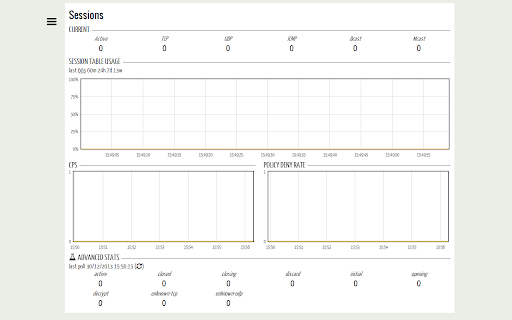
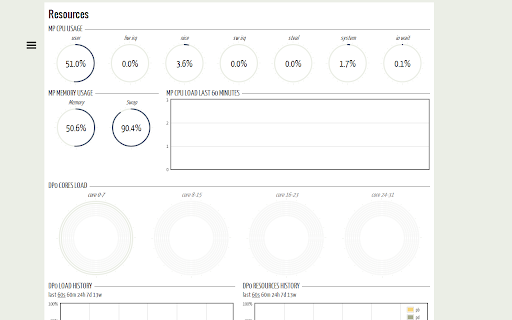
Pan(w)achrome is a little Chrome extension that can be used to extract and chart real-time statistics from Palo Alto Networks next-generation firewalls.
What's New in 0.7.1.9
- support for DP with 48 cores
- support for PAN-OS 9
- fixed a problem with DB mgmt. Please remove and reinstall the extension if you see high disk usage from the old versions of this extension (a key IndexedDB API was removed from Chrome)
What's New in 0.7.1.8
- support for PAN-OS 7.1.2+
What's New in 0.7.1.7
- support for PA-7050
- support for PAN-OS 6.1
- support for sw tags descriptor on VM-Series
- support for monitoring an unlicensed VM-Series
- moved legend to nw
What's New in 0.7.1
- all the DPs on PA-5000 are shown in the Resources page (requires 5.0.9+ or 6.0+)
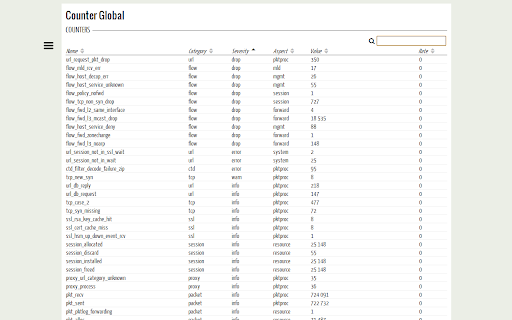
- global counters table now supports sorting and filtering
- advanced stats in session page (states, unknown sessions, decrypted sessions)
- per-VSYS count in session page
- interface hardware errors
- jobs notifications can be filtered
- doesn't prompt multiple times for an already monitored device
- some UI improvement here and there
*** Pan(w)achrome is a free Chrome extension and is not an official product of, or endorsed by Palo Alto Networks. ***
| 分类 | 📝工作流程与规划 |
| 插件标识 | bbjabfjlgajemfdkmmgjmjmhfaaicfph |
| 平台 | Chrome |
| 评分 |
☆☆☆☆☆
|
| 评分人数 | |
| 插件主页 | https://chromewebstore.google.com/detail/panwachrome/bbjabfjlgajemfdkmmgjmjmhfaaicfph |
| 版本号 | 1.5.2 |
| 大小 | 607KiB |
| 官网下载次数 | 7000 |
| 下载地址 | |
| 更新时间 | 2018-12-21 00:00:00 |
CRX扩展文件安装方法
第1步: 打开Chrome浏览器的扩展程序
第2步:
在地址栏输入: chrome://extensions/
第3步: 开启右上角的【开发者模式】
第4步: 重启Chrome浏览器 (重要操作)
第5步: 重新打开扩展程序管理界面
第6步: 将下载的crx文件直接拖入页面完成安装
注意:请确保使用最新版本的Chrome浏览器