
Spot: Better Find in Page Chrome 插件, crx 扩展下载
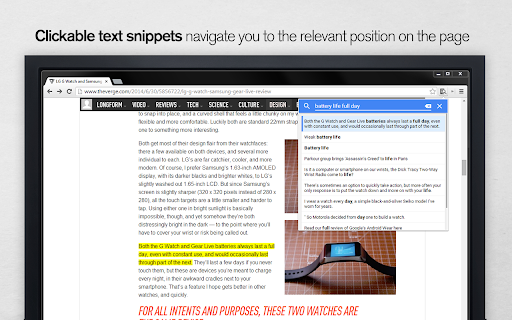

Helps to find information inside a page
Spot finds information inside a page that you were searching for in Google. No need to read through a long page to find a small piece of information. Instead, click the Spot icon to see the list of sentences relevant to your Google query.
Spot also serves as a much better alternative for a built-in Find function with the following features
Features:
-- [NEW] uses the last Google query as the default
-- finds relevant sentences
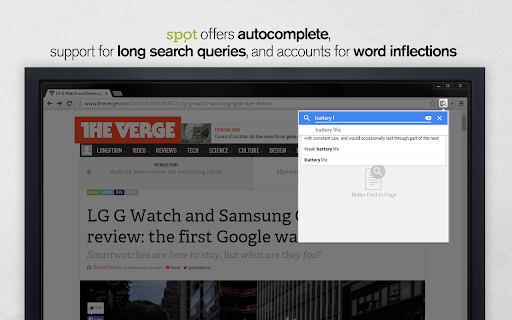
-- works well with long queries
-- provides autocomplete
-- aware of word forms, "testing" = "test" = "tests"
-- supports mouse and keyboard controls
-- privacy, everything is processed on a client
-- Material Design
Enjoy!
| 分类 | 📝工作流程与规划 |
| 插件标识 | bbpdiffmmobnnngmfigpgddgjpgjgbol |
| 平台 | Chrome |
| 评分 |
☆☆☆☆☆
|
| 评分人数 | |
| 插件主页 | https://chromewebstore.google.com/detail/spot-better-find-in-page/bbpdiffmmobnnngmfigpgddgjpgjgbol |
| 版本号 | 25.2.3.0 |
| 大小 | 146KiB |
| 官网下载次数 | 441 |
| 下载地址 | |
| 更新时间 | 2014-09-08 00:00:00 |
CRX扩展文件安装方法
第1步: 打开Chrome浏览器的扩展程序
第2步:
在地址栏输入: chrome://extensions/
第3步: 开启右上角的【开发者模式】
第4步: 重启Chrome浏览器 (重要操作)
第5步: 重新打开扩展程序管理界面
第6步: 将下载的crx文件直接拖入页面完成安装
注意:请确保使用最新版本的Chrome浏览器