
Filter Affinity Chrome 插件, crx 扩展下载
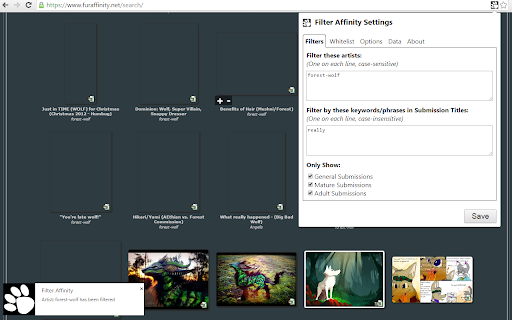
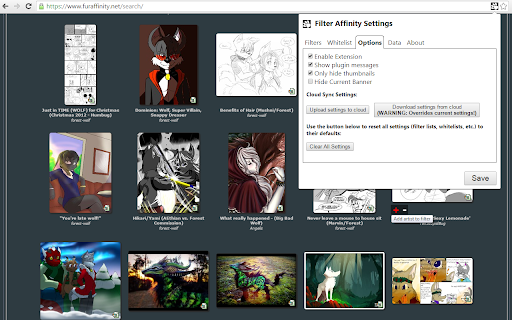
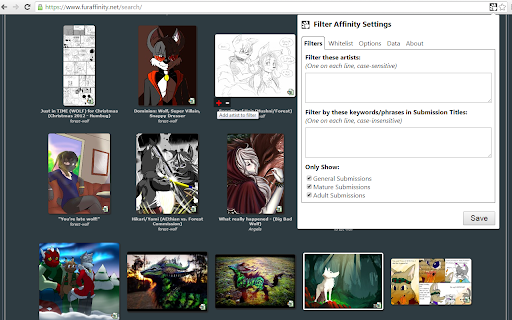
Filters out unwanted artists/images while browsing on Furaffinity.net
Ever been browsing all the great art on FurAffinity and come across something you didn't like? Yeah, me too. So I made this.
Welcome to Filter Affinity!
It filters out content based on artist names and keywords in the submission titles and short descriptions on the Home, Browse, Gallery and Search pages. If you wish to always display artwork by a certain artist, their names can be listed to allow to do just that.
Hovering over a submission thumbnail will show a Add/Remove option box. Clicking the plus(+) symbol adds the artist's name to the filter list automatically. Clicking the minus(-) symbol removes the artist from the filter list.
You can also filter by the submission rating, and even just block out the entire submission or just hide the thumbnail! Easy!
No longer worry about scarring your eyes with material you'd rather not stumble across. Try out Filter Affinity today!
| 分类 | 🛠️工具 |
| 插件标识 | bcnniocfbnmaiakhpgpeicghfogdjfhe |
| 平台 | Chrome |
| 评分 |
☆☆☆☆☆
|
| 评分人数 | |
| 插件主页 | https://chromewebstore.google.com/detail/filter-affinity/bcnniocfbnmaiakhpgpeicghfogdjfhe |
| 版本号 | 1.0.0.47 |
| 大小 | 17.85KiB |
| 官网下载次数 | 1000 |
| 下载地址 | |
| 更新时间 | 2023-11-01 00:00:00 |
CRX扩展文件安装方法
第1步: 打开Chrome浏览器的扩展程序
第2步:
在地址栏输入: chrome://extensions/
第3步: 开启右上角的【开发者模式】
第4步: 重启Chrome浏览器 (重要操作)
第5步: 重新打开扩展程序管理界面
第6步: 将下载的crx文件直接拖入页面完成安装
注意:请确保使用最新版本的Chrome浏览器