
EE Login Chrome 插件, crx 扩展下载
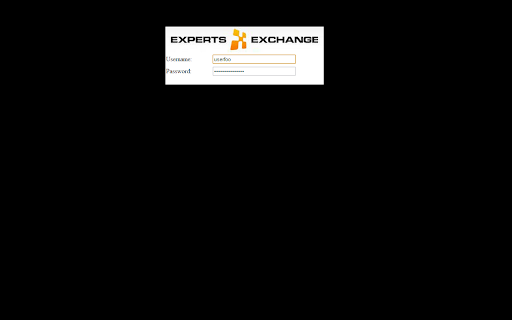
Switch to your mod account at the click of a button
A simple extension to automatically log you into EE, via Incognito mode, with the EE account of your choice. Just click on the button to be logged into your alternative account.
Useful for EE Badgers who have separate privileged accounts.
Instructions
=-=-=-=-=-=
Basic settings:
You need to add your EE username and password. Don't worry these are stored securely in Chrome's own storage framework.
Version History: -
1.0.4.1 - Fix console error
1.0.4.0 - Now works with https and EEv10 (but zone options have been removed)
1.0.3.1 - Fix small issue when saving 'confirmation' state
1.0.3.0 - Ask for confirmation before going incognito.
1.0.2.1 - Improved layout.
1.0.2.0 - Added support Articles and RA zone.
1.0.1.2 - Added support for EE v10.
1.0.1.1 - Added support for eestuff zones (admin, mod, za, pe. cv).
1.0.1.0 - Added support for eestuff (this is experimental - watch out for dragons!).
1.0.0.14 - don't assume all EE pages start with www (eg. blogs!).
1.0.0.13 - Added CS General as a seperate auto-login zone.
1.0.0.12 - Cosmetic change (docked is now known as clone).
1.0.0.11 - Ensure sensible defaults on first every install..
1.0.0.10 - Toggle to allow manual logins to detach rather than always dock.
1.0.0.9 - Oops, fix issue where Incognito window isn't forced.
1.0.0.8 - Specific granular control of how auto-login for each zone is handled.
Options are:
* Disabled - auto-login is not enabled for that zone (can still use manual)
* Docked - auto-login enabled; new tab opens and original remains docked
* Detached - auto-login enabled; new tab opens and original is closed
1.0.0.7 - Added PD Zone as a new auto-login zone as this one has it's own privs
1.0.0.6 - When selecting CS Other only pick up the auxiliary zones.
- Added CV Only as a new auto-login zone as this one has it's own privs
1.0.0.5 - Only detach when performing an auto-login.
1.0.0.4 - Fix small cosmetic issue with options page.
1.0.0.3 - Incognito is now mandatory (it makes little sense for it not to be).
- You can now specify certain zones to always automatically login.
- Option to detach current tab as incognito rather than creating a copy.
1.0.0.2 - Don't force window position as it doesn't work very well on multi-screens.
1.0.0.1 - Only show icon when on EE's website.
- Redirect back to the page we were originally on after authentication.
1.0.0.0 - Initial release.
| 分类 | 📝工作流程与规划 |
| 插件标识 | bdbgmnjnfnbdceabkdjpkacipfgclmcn |
| 平台 | Chrome |
| 评分 |
☆☆☆☆☆
|
| 评分人数 | |
| 插件主页 | https://chromewebstore.google.com/detail/ee-login/bdbgmnjnfnbdceabkdjpkacipfgclmcn |
| 版本号 | 25.2.3.0 |
| 大小 | 19.94KiB |
| 官网下载次数 | 29 |
| 下载地址 | |
| 更新时间 | 2016-06-16 00:00:00 |
CRX扩展文件安装方法
第1步: 打开Chrome浏览器的扩展程序
第2步:
在地址栏输入: chrome://extensions/
第3步: 开启右上角的【开发者模式】
第4步: 重启Chrome浏览器 (重要操作)
第5步: 重新打开扩展程序管理界面
第6步: 将下载的crx文件直接拖入页面完成安装
注意:请确保使用最新版本的Chrome浏览器