
SPush SP editor Chrome 插件, crx 扩展下载

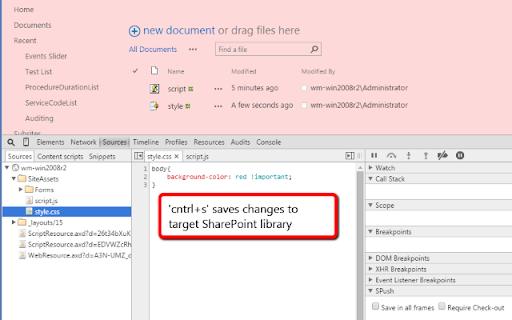
Developer Tools extension to auto save script/css files to SharePoint.
Developer Tools extension to auto save script/css files to SharePoint.
It is the quickest way to change and test content files of your SharePoint App.
In addition it might be a good opportunity to fix some js/css bugs without need to deploy scripts using Visual Studio or provide new package of the app.
Key features:
* Cntrl+s forces js or css to be rewritten.
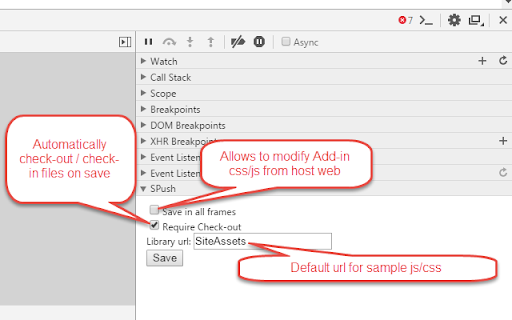
* Allows modifying SharePoint 2013 App content from the host web
* Allows to automatically check-out js/css documents if "Require documents to be checked out before they can be edited" option is True;
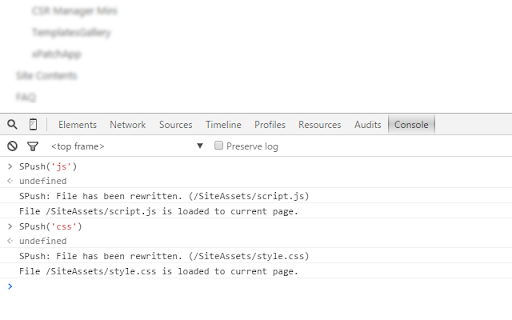
* Allows quick creation of sample js and css files by executing SPush(typeOrUrl) in console (see sample video or visit GitHub link below)
0.63
* Fixed bug with saving in not root site collection.
0.64
* Fixed issue with relative URL while editing scripts of apps from the host web.
0.65
* DevTools error loggin added.
0.66
* JSLink save issue fixed.
0.67
* solved issue with saving files with comments and other spec chracters;
* 'style%20library' decoding issue is fixed.
0.68
* On-Premise js fix.
1.0
* SPush(typeOrUrl) help file creation method is implemented;
* 'Library url' configureation is added.
1.0.1
* Logo is changed
1.0.2
* Fixed issue which quick snippet SPush('js') on sub-webs;
* Removed dependencies from OOB SharePoint load css/js methods.
Tested under SharePoint 2010+ (on-prem and O365 SharePoint Online).
Find GIT repository here: https://github.com/wideserg/CE/tree/master/SPush
| 分类 | 💻开发者工具 |
| 插件标识 | bdeilgnnljmooaheogonhpggepnhhlhf |
| 平台 | Chrome |
| 评分 |
☆☆☆☆☆
|
| 评分人数 | |
| 插件主页 | https://chromewebstore.google.com/detail/spush-sp-editor/bdeilgnnljmooaheogonhpggepnhhlhf |
| 版本号 | 1.0.3 |
| 大小 | 12.03KiB |
| 官网下载次数 | 256 |
| 下载地址 | |
| 更新时间 | 2018-05-17 00:00:00 |
CRX扩展文件安装方法
第1步: 打开Chrome浏览器的扩展程序
第2步:
在地址栏输入: chrome://extensions/
第3步: 开启右上角的【开发者模式】
第4步: 重启Chrome浏览器 (重要操作)
第5步: 重新打开扩展程序管理界面
第6步: 将下载的crx文件直接拖入页面完成安装
注意:请确保使用最新版本的Chrome浏览器