
Cookie Boss Chrome 插件, crx 扩展下载

Manage your cookies like a boss.
REMOVE
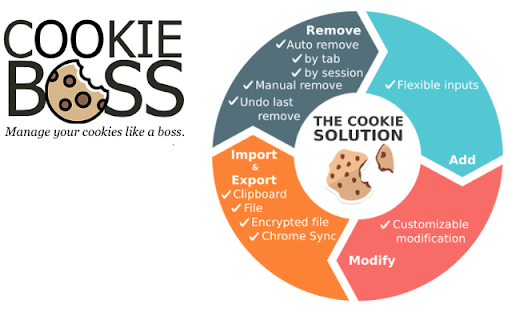
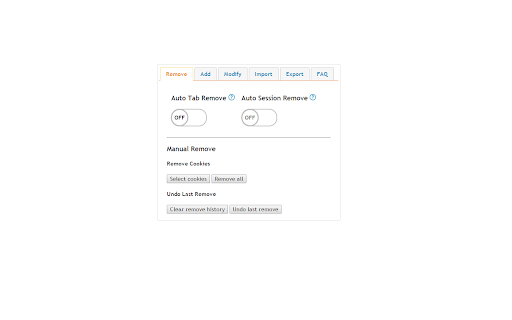
- Auto by tab: Removes domain cookies when there are no other active tabs
- Auto by session: Defaults all cookies to session
- Manual : Batch Selection
- Undo last remove: Restores last removed cookies
ADD
+ Flexible inputs for cookie attributes
+ Prompts domain attribute with existing domains
+ Easy to set expiration date time
MODIFY
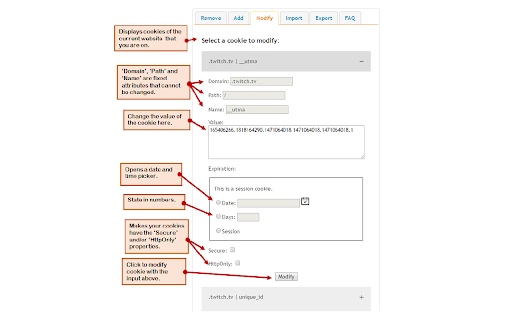
* Customizable values
* Displays according to active domain
IMPORT & EXPORT
~ JSON String Format
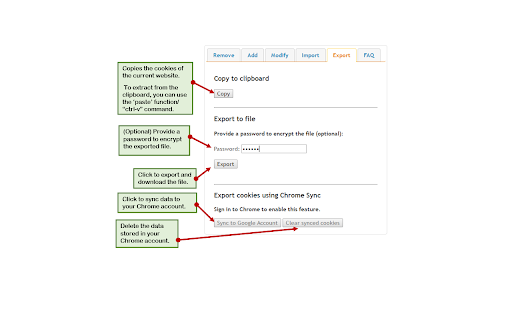
~ Clipboard: Copy & Paste
~ File: .txt format
~ Encrypted file: Secured with user input password
~ Chrome Sync: Seamless way to transport cookies across various platforms using your Chrome profile
| 分类 | 💻开发者工具 |
| 插件标识 | bdfmcfdojoaedkjkihobeheogapdfdbk |
| 平台 | Chrome |
| 评分 |
☆☆☆☆☆
|
| 评分人数 | |
| 插件主页 | https://chromewebstore.google.com/detail/cookie-boss/bdfmcfdojoaedkjkihobeheogapdfdbk |
| 版本号 | 8.3 |
| 大小 | 233KiB |
| 官网下载次数 | 334 |
| 下载地址 | |
| 更新时间 | 2016-08-26 00:00:00 |
CRX扩展文件安装方法
第1步: 打开Chrome浏览器的扩展程序
第2步:
在地址栏输入: chrome://extensions/
第3步: 开启右上角的【开发者模式】
第4步: 重启Chrome浏览器 (重要操作)
第5步: 重新打开扩展程序管理界面
第6步: 将下载的crx文件直接拖入页面完成安装
注意:请确保使用最新版本的Chrome浏览器