
Sherpa RPA Chrome 插件, crx 扩展下载
Sherpa RPA
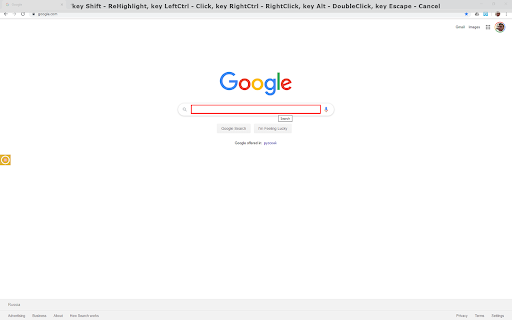
Sherpa RPA plugin for Google Chrome enables Sherpa RPA users to record their actions on the different websites within Google Chrome. Once installed, this plugin will turn blue if the connection to Sherpa RPA Designer is established and turn red otherwise. Use Sherpa RPA Designer to start recording process. Once in the recording mode, hover your mouse cursor over web page items and click on them to record their positions and properties. Follow instructions that appear at the top of the screen. Use Sherpa RPA Recorder toolbar to finish the recording process. Once finished all recorded actions will appear as new script blocks inside Sherpa RPA Designer.
| 分类 | 💻开发者工具 |
| 插件标识 | bdnlfnchnkjeempadnmcgbbkbacffobl |
| 平台 | Chrome |
| 评分 |
☆☆☆☆☆
|
| 评分人数 | |
| 插件主页 | https://chromewebstore.google.com/detail/sherpa-rpa/bdnlfnchnkjeempadnmcgbbkbacffobl |
| 版本号 | 8.3 |
| 大小 | 94.52KiB |
| 官网下载次数 | 5000 |
| 下载地址 | |
| 更新时间 | 2024-09-17 00:00:00 |
CRX扩展文件安装方法
第1步: 打开Chrome浏览器的扩展程序
第2步:
在地址栏输入: chrome://extensions/
第3步: 开启右上角的【开发者模式】
第4步: 重启Chrome浏览器 (重要操作)
第5步: 重新打开扩展程序管理界面
第6步: 将下载的crx文件直接拖入页面完成安装
注意:请确保使用最新版本的Chrome浏览器