
DownloadsSorter Chrome 插件, crx 扩展下载
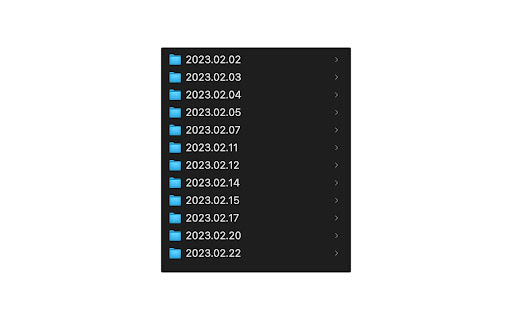
Save downloaded files into datestamped folders.
The DownloadsSorter extension helps you keep your Downloads folder tidy and well-organized. With this extension, your downloaded files are automatically sorted into folders based on the date of the download, giving you a clear and chronological list of your downloads. Say goodbye to the cluttered mess of files in your Downloads folder and hello to an easy-to-navigate system that saves you time and hassle. Whether you're a frequent downloader or just looking for a cleaner Downloads folder, this extension is the perfect solution for keeping your files organized.
Source code available - https://github.com/sashkab/DownloadsSorter.
If you run into issue, please open new issue https://github.com/sashkab/DownloadsSorter/issues/new
| 分类 | 📝工作流程与规划 |
| 插件标识 | bfkkiiiloblmdmimodmapflbfgopalog |
| 平台 | Chrome |
| 评分 |
☆☆☆☆☆
|
| 评分人数 | |
| 插件主页 | https://chromewebstore.google.com/detail/downloadssorter/bfkkiiiloblmdmimodmapflbfgopalog |
| 版本号 | 25.2.3.0 |
| 大小 | 29.32KiB |
| 官网下载次数 | 19 |
| 下载地址 | |
| 更新时间 | 2023-02-24 00:00:00 |
CRX扩展文件安装方法
第1步: 打开Chrome浏览器的扩展程序
第2步:
在地址栏输入: chrome://extensions/
第3步: 开启右上角的【开发者模式】
第4步: 重启Chrome浏览器 (重要操作)
第5步: 重新打开扩展程序管理界面
第6步: 将下载的crx文件直接拖入页面完成安装
注意:请确保使用最新版本的Chrome浏览器