
ReproNow: Capture Screen + Network Chrome 插件, crx 扩展下载
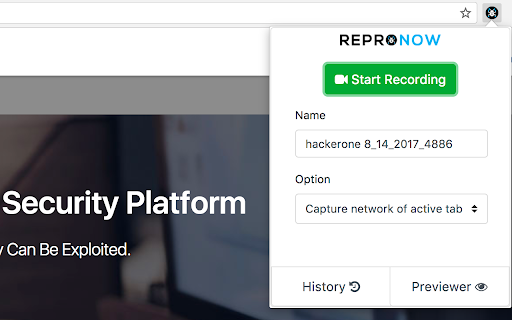
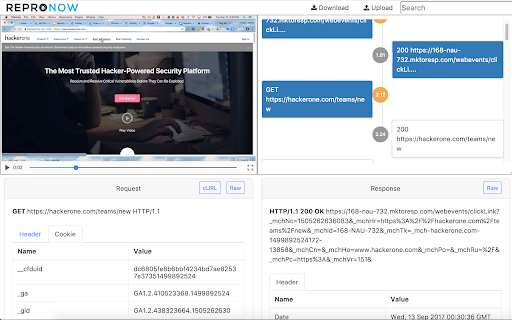
Save time Reproducing and Triaging bugs
Record Screen and Network traffic and replay it in a super cool UI.
Features:
* A browser extension to capture Desktop and Network Traffic
* Has a responsive UI for Security Engineers to view and search
* Hides the traffic inside a mkv/webm video files
* Works cross browser using extensibility API (currently supports Chrome and Opera, Firefox on roadmap)
* No server interaction, everything on client-side
* Exports request as cURL
* Stores history in Local Storage
* Multiple options to capture Network
* Open Source
This is a very useful tool for QA and for Bug Bounty Researchers.
Permission Explantation:
- Read and change all data on all websites you visit
This permission is required to capture the network. There is no modification done.
- Capture content of your screen.
This permission is required to capture your screen.
If the above permission scares you, feel free to review the code (linked below). We recommend you use the add-on in a testing account.
More info: https://github.com/VinayendraTN/ReproNow
| 分类 | 📝工作流程与规划 |
| 插件标识 | bgnboagkkokloclccjpmamhfijeinnpc |
| 平台 | Chrome |
| 评分 |
☆☆☆☆☆
|
| 评分人数 | |
| 插件主页 | https://chromewebstore.google.com/detail/repronow-capture-screen-+/bgnboagkkokloclccjpmamhfijeinnpc |
| 版本号 | 25.2.3.0 |
| 大小 | 5.51MiB |
| 官网下载次数 | 679 |
| 下载地址 | |
| 更新时间 | 2020-11-28 00:00:00 |
CRX扩展文件安装方法
第1步: 打开Chrome浏览器的扩展程序
第2步:
在地址栏输入: chrome://extensions/
第3步: 开启右上角的【开发者模式】
第4步: 重启Chrome浏览器 (重要操作)
第5步: 重新打开扩展程序管理界面
第6步: 将下载的crx文件直接拖入页面完成安装
注意:请确保使用最新版本的Chrome浏览器