
AO3 Enhancement Suite Chrome 插件, crx 扩展下载
An extension that aims to improve upon the already great experience on AO3 by adding various additional features.
New features currently include:
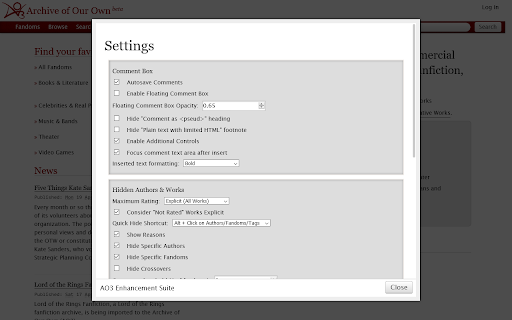
- Autosaving Comments: Comments will autosave on a per-work basis as you type so you don't lose them if your browser crashes or you close the tab.
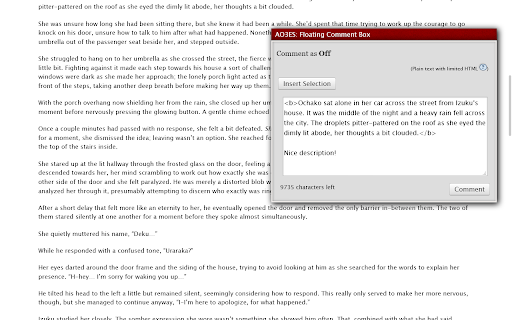
- Floating Comment Box: A floating comment box that follows you as you scroll with customizable opacity.
- Hidden Authors & Works: Hide works based on their author, fandoms, amount of fandoms (crossovers), archive warnings, relationships, characters and additional tags.
- Insert Selected Button for the Comment Box: Insert your selected text with customizable formatting.
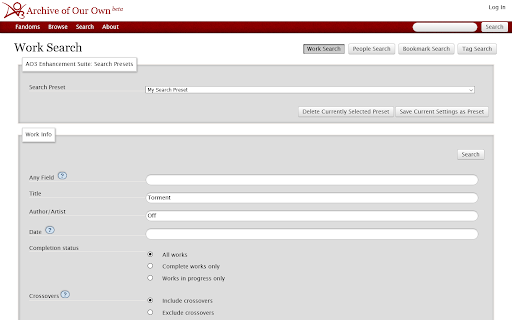
- Search Presets: Save and reload search parameter presets to quickly find works that suit your tastes now and in the future.
- Tag Collapse: Hide excessive tags on works with a customizable threshold.
- Additional Work Stats: New "Average words per chapter" and "Estimated reading time" stats on works.
All features can be enabled or disabled and some have further customization options!
| 分类 | 📝工作流程与规划 |
| 插件标识 | bhmneclegcomgehhnoielpcmgjbamblj |
| 平台 | Chrome |
| 评分 |
☆☆☆☆☆
|
| 评分人数 | |
| 插件主页 | https://chromewebstore.google.com/detail/ao3-enhancement-suite/bhmneclegcomgehhnoielpcmgjbamblj |
| 版本号 | 1.4.1 |
| 大小 | 147KiB |
| 官网下载次数 | 667 |
| 下载地址 | |
| 更新时间 | 2021-06-07 00:00:00 |
CRX扩展文件安装方法
第1步: 打开Chrome浏览器的扩展程序
第2步:
在地址栏输入: chrome://extensions/
第3步: 开启右上角的【开发者模式】
第4步: 重启Chrome浏览器 (重要操作)
第5步: 重新打开扩展程序管理界面
第6步: 将下载的crx文件直接拖入页面完成安装
注意:请确保使用最新版本的Chrome浏览器