
Pretty Gherkin Chrome 插件, crx 扩展下载
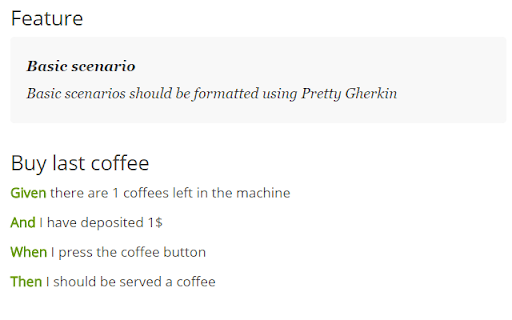
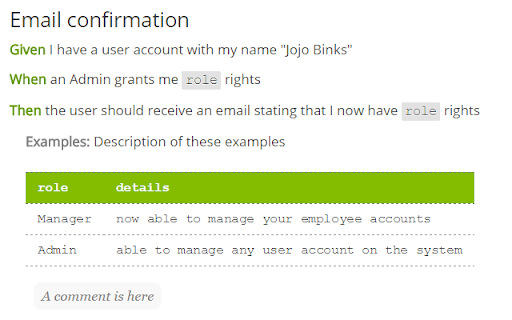
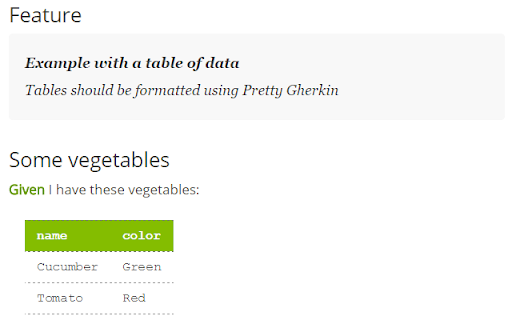
Open your cucumber feature files written in gherkin in the browser to see them formatted in a human-friendly way.
INSTALLATION
1. Install extension
2. Tick the 'Allow access to file URLs' checkbox (IMPORTANT)
SUPPORT
Supports local feature files, and raw files on:
- Github
- Gitlab
- Bitbucket.org
Appreciate feedback via the support link and any supporting troublesome mark-up.
SUPPORTED FEATURE FILE MARK-UP
> Header formatting (Feature / Background / Scenarios)
> Feature description formatting
> Keyword highlighting (Given / When / Then ...)
> Comment formatting
> Annotation formatting
> Parameter highlighting e.g. <param>
> DocString formatting
NEW in this release
============================
Support for gitlab, bitbucket.org.
NEW in previous release
============================
Better handling of feature file keywords inside comments and doc strings. Performance improvements and bug fixes.
| 分类 | 💻开发者工具 |
| 插件标识 | blemhogdenfkkojlpghcinocbfjheioc |
| 平台 | Chrome |
| 评分 |
☆☆☆☆☆
|
| 评分人数 | |
| 插件主页 | https://chromewebstore.google.com/detail/pretty-gherkin/blemhogdenfkkojlpghcinocbfjheioc |
| 版本号 | 8.3 |
| 大小 | 136KiB |
| 官网下载次数 | 3000 |
| 下载地址 | |
| 更新时间 | 2018-01-25 00:00:00 |
CRX扩展文件安装方法
第1步: 打开Chrome浏览器的扩展程序
第2步:
在地址栏输入: chrome://extensions/
第3步: 开启右上角的【开发者模式】
第4步: 重启Chrome浏览器 (重要操作)
第5步: 重新打开扩展程序管理界面
第6步: 将下载的crx文件直接拖入页面完成安装
注意:请确保使用最新版本的Chrome浏览器