
Costbell Chrome 插件, crx 扩展下载

Chrome extension to help you shop so you can sleep
Fight Scalpers with Power.
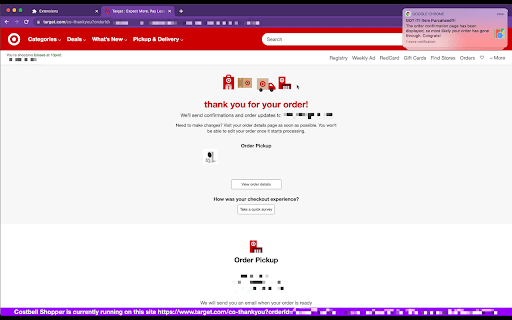
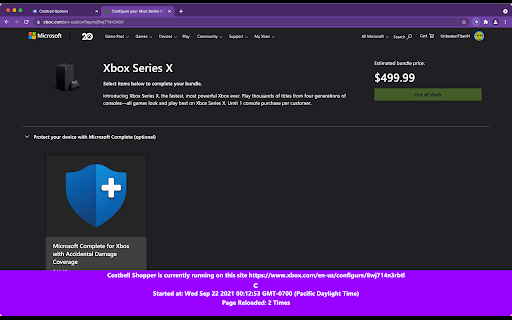
Costbell is a fully automated bot that helps you shop highly in-demand products, such as Xbox Series S (XSX), Xbox Series X (XSX), and PS5. This tool automatically checks the inventory on the merchant website and purchase the item for you as soon as the product is back in stock.
Features:
- AUTO INVENTORY CHECK / PAGE REFRESH -
We will automatically refresh the product page and check the inventory for you, so you can spend life on more meaningful stuff.
- AUTO CHECKOUT / PLACE ORDER -
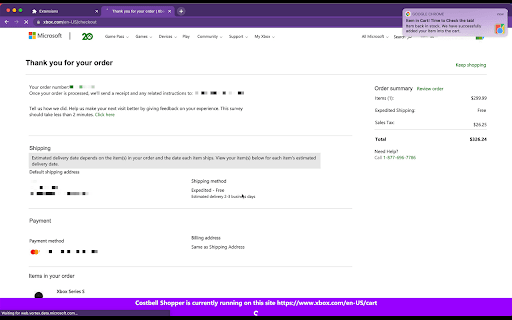
As soon as we detect the item is back in stock, we will try to checkout and complete the purchase for you, so you can have a sound sleep at night and leave the heavy-lifting to us.
- AUTO CART ERROR HANDLING -
We will gracefully handle the situation if the item went out of stock while in the shopping cart, just like an actual human.
- AUTO CVV ENTERING -
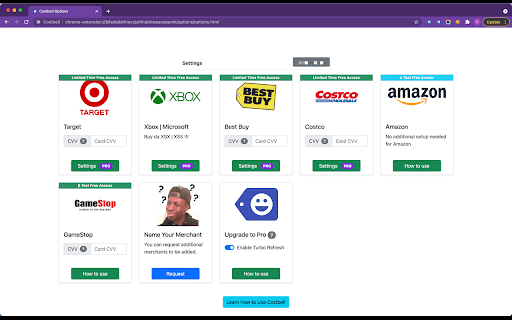
If the merchant requires credit card CVV at checkout, you can store your card CVV on the Settings page, and we will automatically fill it for you.
- AUTO LOGIN -
If for any reason the merchant asks you to login again to complete the purchase, our bot will log you in automatically so you won't miss any buying opportunity.
- BROWSER NOTIFICATIONS -
We will send you browser notifications when we have the item in the cart or successfully made the purchase, so you are always informed of the good news.
- EMAIL NOTIFICATIONS -
We will send you email notifications if we've successfully purchased your item, so you always stay in the loop of what's going on without having to be around your computer.
| 分类 | 🛍️购物 |
| 插件标识 | blledejkbfneccjaihhddinaeaceppmk |
| 平台 | Chrome |
| 评分 |
☆☆☆☆☆
|
| 评分人数 | |
| 插件主页 | https://chromewebstore.google.com/detail/costbell/blledejkbfneccjaihhddinaeaceppmk |
| 版本号 | 2.9.5 |
| 大小 | 663KiB |
| 官网下载次数 | 422 |
| 下载地址 | |
| 更新时间 | 2022-08-23 00:00:00 |
CRX扩展文件安装方法
第1步: 打开Chrome浏览器的扩展程序
第2步:
在地址栏输入: chrome://extensions/
第3步: 开启右上角的【开发者模式】
第4步: 重启Chrome浏览器 (重要操作)
第5步: 重新打开扩展程序管理界面
第6步: 将下载的crx文件直接拖入页面完成安装
注意:请确保使用最新版本的Chrome浏览器