
Screen Capture, Screenshot, Annotations Chrome 插件, crx 扩展下载
Get more out of your screen captures!The best screen recorder and screen capture & screenshot tool to record screen.
Scrn.me is the most popular tool for your day to day. Whole page screenshot, sharing and much more.
All the missing features of Google Chrome™
Are you looking for the fastest way to share and save screenshots?
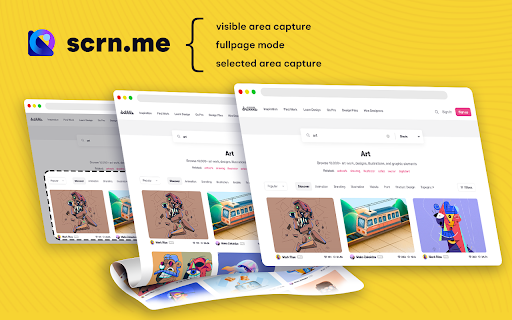
Entire page screenshot, or just the visible area?
Screen Capture
▸ Capture a screenshot of the page you visit, full page, selected area or visible part
▸ Capture a screenshot of your entire screen or a specific application window
▸ Capture visible part, entire screen or app window
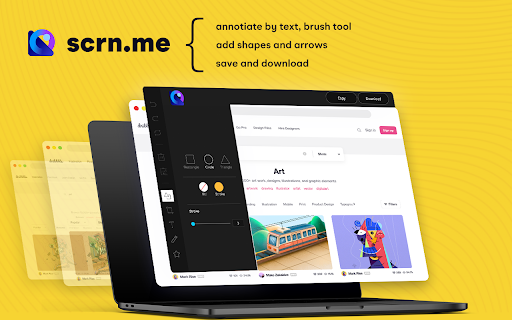
Annotate Screenshot
▸ Resize or crop a screenshot to the size you need
▸ Annotate your screenshot with rectangles, circles, arrows, lines, etc.
▸ Add text to your screenshot with or without background color, change text font and font size
▸ Blur sensitive information on your screenshot
▸ Highlight important part on your screenshot
▸ Select a local image or paste a copied image from your clipboard to annotate
Save & Share Screenshot
▸ Save screenshot as image in PNG or JPG format, or download screenshot as PDF
This is a free extension for taking screenshots.
Best for
# Full page screenshot
# Desktop screenshot
# Screenshot editor
# Crop
# Highlight and paint
# Save local or share online
It is powerful and simple. It has more features than you can imagine in one place
This extension is able to capture 100% of both the vertical and horizontal content appearing on any webpage on the Internet.
It is very easy to save the captured file onto your computer or print it / or share it to any social network.
| 分类 | 📝工作流程与规划 |
| 插件标识 | bmkgbgkneealfabgnjfeljaiegpginpl |
| 平台 | Chrome |
| 评分 |
☆☆☆☆☆
|
| 评分人数 | |
| 插件主页 | https://chromewebstore.google.com/detail/screen-capture-screenshot/bmkgbgkneealfabgnjfeljaiegpginpl |
| 版本号 | 5.5.82 |
| 大小 | 421KiB |
| 官网下载次数 | 500000 |
| 下载地址 | |
| 更新时间 | 2025-02-19 00:00:00 |
CRX扩展文件安装方法
第1步: 打开Chrome浏览器的扩展程序
第2步:
在地址栏输入: chrome://extensions/
第3步: 开启右上角的【开发者模式】
第4步: 重启Chrome浏览器 (重要操作)
第5步: 重新打开扩展程序管理界面
第6步: 将下载的crx文件直接拖入页面完成安装
注意:请确保使用最新版本的Chrome浏览器