
Cognifirm Chrome 插件, crx 扩展下载

This plugin lets you manage your Cognifirm Process automation tool.
Automate your tasks in minutes
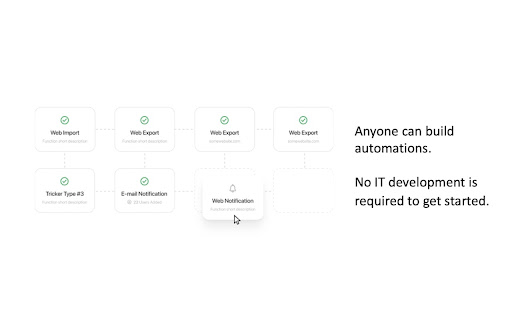
Build automation without code in an easy-to-use drag and drop dashboard. More than 180.000 automation combinations are available without change to your current IT systems.
Anyone can build automations. No IT development is required to get started.
Monitor your competitor’s price and product changes
Get E-Mail notifications whenever competitors launch new products, features or change their prices
Import Excel data into any online business system
Do you have reporting or data collecting in Excel that needed to be imported into your business systems?
Use Cognifirm to import Excel and CSV data into any online business system. This feature is a great time-saver and ensures that you do not have any quality issues.
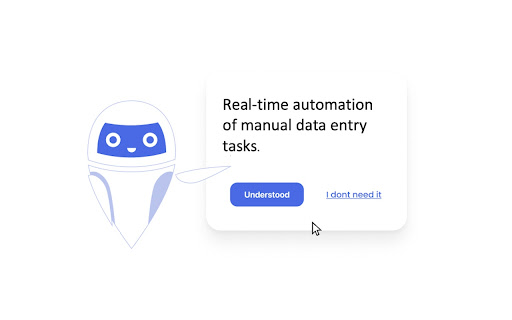
Real-time automation of manual data entry tasks
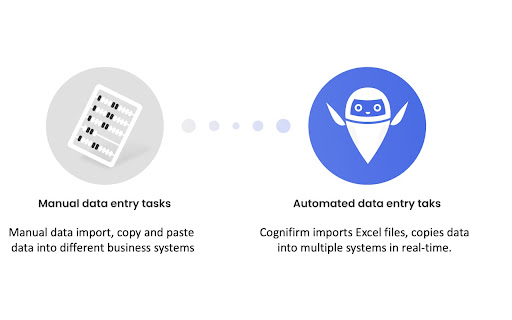
Do you key in the same data into multiple systems when you enroll a new customer, onboard a new employee, or when you register a new order?
Cognifirm can automatically paste the same data into multiple systems in real-time, so you don't have to. Real-time automation of manual data entry tasks. No more multiple data entry tasks.
Finish your team-tasks faster
Let your teammates know when a task is processed and ready for them to work on. Use the auto-generated notifications feature to share task status notifications with your team. So you create clarity and eliminate idle time.
Smart logic-based notifications
Do you need to notify or share information with your team on a regular basis? Like timesheet reminders, status updates, or distribution of mandatory corporate information?
Cognifirm lets you configure rule-based notifications as either e-mail or as a browser notification. Stop sending our notification and reminder e-mails manually.
| 分类 | 📝工作流程与规划 |
| 插件标识 | bmmhgoiieoedmbfhaindcalppanennea |
| 平台 | Chrome |
| 评分 |
☆☆☆☆☆
|
| 评分人数 | |
| 插件主页 | https://chromewebstore.google.com/detail/cognifirm/bmmhgoiieoedmbfhaindcalppanennea |
| 版本号 | 25.2.3.0 |
| 大小 | 3.79MiB |
| 官网下载次数 | 20 |
| 下载地址 | |
| 更新时间 | 2021-11-16 00:00:00 |
CRX扩展文件安装方法
第1步: 打开Chrome浏览器的扩展程序
第2步:
在地址栏输入: chrome://extensions/
第3步: 开启右上角的【开发者模式】
第4步: 重启Chrome浏览器 (重要操作)
第5步: 重新打开扩展程序管理界面
第6步: 将下载的crx文件直接拖入页面完成安装
注意:请确保使用最新版本的Chrome浏览器