
Freshmarketer-A/B Testing & Heatmap Software Chrome 插件, crx 扩展下载

Website Optimization Redefined
Freshmarketer is industry’s first ever helper extension to optimize your website.
Change all your intuitions on your website to insights in one place.
With the new-age web optimization tool - Freshmarketer, you can instantly optimize your website and gain valuable insights. Freshmarketer is quick, easy and has totally evolved to fit modern users.
Why you’ll love optimizing websites with Freshmarketer's chrome extension
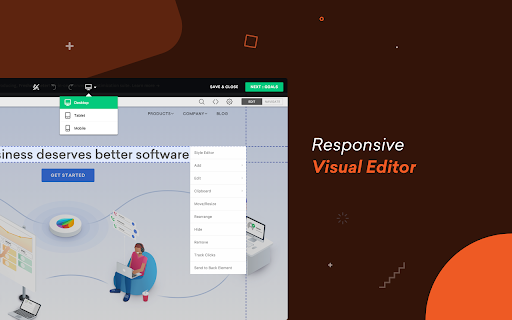
★ Freshmarketer instantly loads your website with our live editor.
★ Better than your traditional CRO software, Freshmarketer lets you avoid page loading.
★ Generate reports for all your visitors swiftly- We don’t sample your data.
★ Track your visitors on dynamic elements- Say ‘no’ to screenshots.
Key Freshmarketer Features:
★ A/B Testing - Create, Compare and Win
Freshmarketer's intuitive editor allows you to create variations of your website in just a click. Well, you don’t require any technical know-hows to find the right fit for your website. Not just that, it’s integrated with Google Universal Analytics.
★ Split URL Testing - Revamp your entire site
Compare various pre-designed variation of your website with Split URL test. Use Freshmarketer's
regex targeting option to compare multiple pages with a common pattern, like never before.
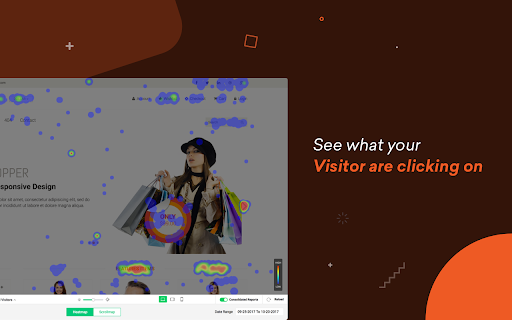
★ Heatmaps and Scrollmaps - Visualize user behavior
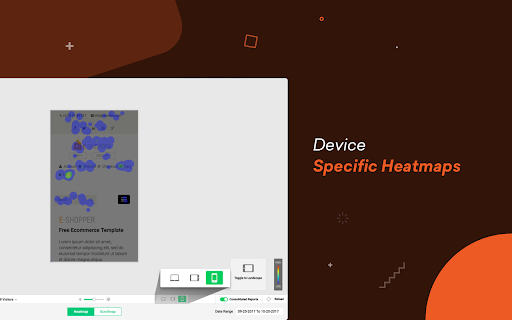
Freshmarketer tracks visitors interactions even on dynamic elements of your website. Take unlimited screenshots of your heatmap reports and is absolutely device specific.
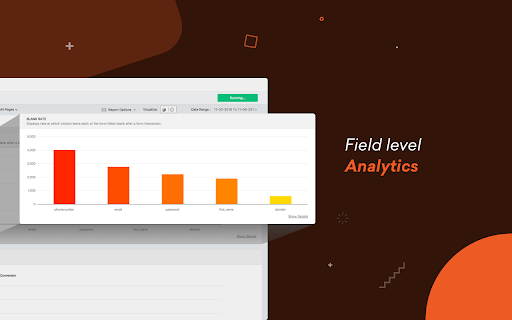
★ Funnel Analysis- Find where visitors drop-off
Get actionable insights and find where visitor gets stalled in your website.
Start your 30-day free trial ( no credit card required) with unlimited experiments!
Learn more about Freshmarketer at www.freshmarketer.com
| 分类 | 📝工作流程与规划 |
| 插件标识 | bnkifneleaknlodbdncgnpbdffngdgjo |
| 平台 | Chrome |
| 评分 |
☆☆☆☆☆
|
| 评分人数 | |
| 插件主页 | https://chromewebstore.google.com/detail/freshmarketer-ab-testing/bnkifneleaknlodbdncgnpbdffngdgjo |
| 版本号 | 25.2.3.0 |
| 大小 | 4.64MiB |
| 官网下载次数 | 1000 |
| 下载地址 | |
| 更新时间 | 2021-05-18 00:00:00 |
CRX扩展文件安装方法
第1步: 打开Chrome浏览器的扩展程序
第2步:
在地址栏输入: chrome://extensions/
第3步: 开启右上角的【开发者模式】
第4步: 重启Chrome浏览器 (重要操作)
第5步: 重新打开扩展程序管理界面
第6步: 将下载的crx文件直接拖入页面完成安装
注意:请确保使用最新版本的Chrome浏览器