
Default Account for Google™ products Chrome 插件, crx 扩展下载
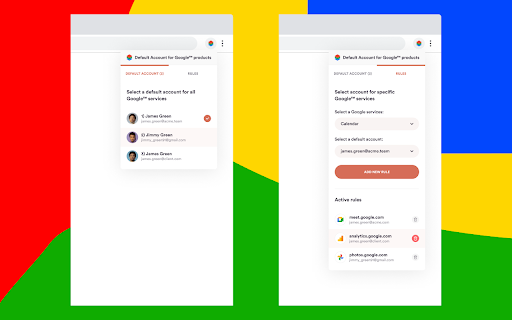
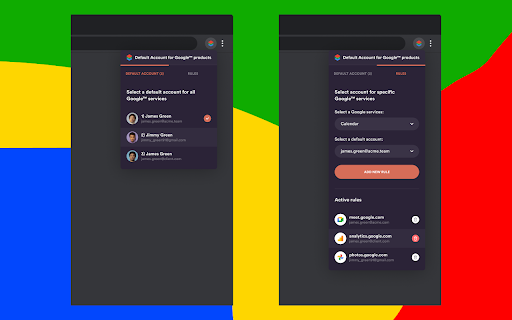

Select and manage your default account for ? Google Meet™, ? Gmail™, or any other product.
With the extension, you can:
1️⃣ Select the default account for all Google™ products (except Youtube™).
2️⃣ Customize default accounts for each product separately.
3️⃣ Quickly switch between accounts using the hotkey "Option (Alt) + {num}" (to edit/disable this shortcut type "chrome://extensions/shortcuts" in the URL bar).
It's common for users to have multiple accounts: several personal, several work- or client-related. And it's annoying to switch between them every time you receive a Google Meet™ link or open Gmail™.
With the Default Account Manager for Google™ products, you can, for example, set up work accounts for Google Meet™ and personal for Gmail™, etc.
Save yourself precious time and frustration by using our extension.
? Default Account for Google™ products is a fully open-source project under BSD 3-Clause License.
Visit our GitHub page: https://github.com/uptechteam/default.wtf
? We respect your privacy and don't collect any data (NO data is sent from your device), so there are no worries about security. What happens on your computer — stays on your computer.
The extension is free to use. We'd appreciate it if you buy us a coffee (https://www.buymeacoffee.com/default) if you find the extension useful) ☕️
Any feedback or suggestions, please send to [email protected]
Developed with ❤️, ?, and ? at Uptech (https://uptech.team/) and Sommo (https://www.sommo.io/).
Note: Youtube™ uses a different account system, the extension does not work yet with Youtube™ accounts. We're working on that.
Disclosure: Google™, Google Meet™, Gmail™, Youtube™ are trademarks of Google Inc. Use of these trademarks is subject to Google Permissions.
| 分类 | 📝工作流程与规划 |
| 插件标识 | bnocikekcdchphdpfffcgikiblhnkdad |
| 平台 | Chrome |
| 评分 |
☆☆☆☆☆
|
| 评分人数 | |
| 插件主页 | https://chromewebstore.google.com/detail/default-account-for-googl/bnocikekcdchphdpfffcgikiblhnkdad |
| 版本号 | 25.2.3.0 |
| 大小 | 136KiB |
| 官网下载次数 | 5000 |
| 下载地址 | |
| 更新时间 | 2022-10-14 00:00:00 |
CRX扩展文件安装方法
第1步: 打开Chrome浏览器的扩展程序
第2步:
在地址栏输入: chrome://extensions/
第3步: 开启右上角的【开发者模式】
第4步: 重启Chrome浏览器 (重要操作)
第5步: 重新打开扩展程序管理界面
第6步: 将下载的crx文件直接拖入页面完成安装
注意:请确保使用最新版本的Chrome浏览器