
Search Medley Chrome 插件, crx 扩展下载
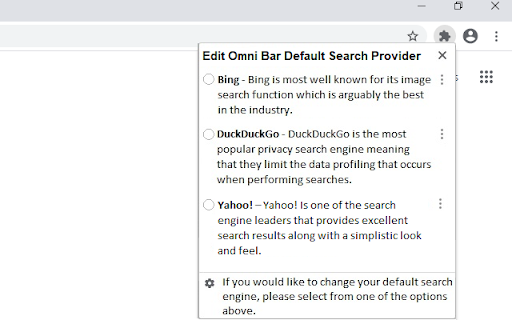

Search Medley helps you easily change and set your default search engine.
Search Medley is a free Chrome browser extension that enables you to change and set your default search engine in a very simple and easy way. Everyone has their favorite search engine that they like to use on a daily basis. By having a default search engine set that is different from your usual search engine, you are able to quickly search more than one search engine with ease. Not all search engines provide the same search results so it’s good to try more than one to find what you are looking for.
By clicking “Add to Chrome”, you accept and agree to install the Search Medley extension, set the Chrome Default Search to Medley Search powered by Yahoo, and adhere to the Terms and Privacy Policy.
How it works:
1) Under the Search Medley extension settings, you can choose from a few top search engines.
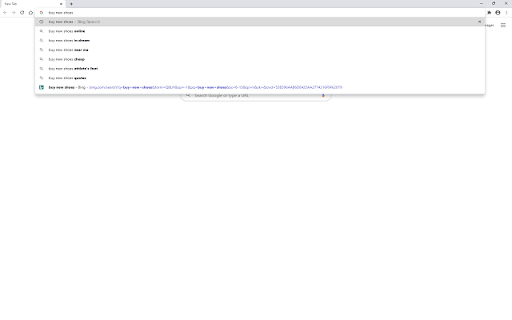
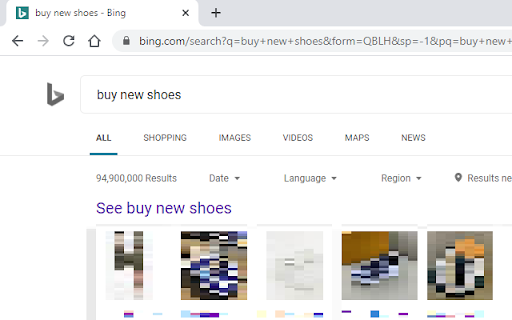
2) Once you have selected your default search engine, your Omni bar (address bar) searches will be done through the default search engine that you have selected.
3) Enjoy a simple and easy way to update and search different search engines.
Terms
https://medleysearch.com/terms.html
Privacy Policy
https://medleysearch.com/privacy.html
If at any point after installing Search Medley, you feel it is not right for you, don’t worry about it! There are two simple ways to uninstall the extension.
Removal Instructions One:
Step 1: Right click on the extension in the top right corner of your browser.
Step 2: Click ‘Remove’
Or
Removal Instructions Two:
Step 1: Click on the three dots/horizontal lines icon in the top right corner of your Chrome browser.
Step 2: Go to "Settings".
Step 3: On the left-hand side, click on ‘Extensions’
Step 4: Find the extension that you wish to remove and click the ‘Remove’ button.
Step 5: The extension should be removed from your Chrome browser.
| 分类 | 🛠️工具 |
| 插件标识 | bpknjehojbeoeciindpgfijdonhjlhoa |
| 平台 | Chrome |
| 评分 |
☆☆☆☆☆
|
| 评分人数 | |
| 插件主页 | https://chromewebstore.google.com/detail/search-medley/bpknjehojbeoeciindpgfijdonhjlhoa |
| 版本号 | 1.0.10 |
| 大小 | 68.73KiB |
| 官网下载次数 | 452 |
| 下载地址 | |
| 更新时间 | 2021-07-10 00:00:00 |
CRX扩展文件安装方法
第1步: 打开Chrome浏览器的扩展程序
第2步:
在地址栏输入: chrome://extensions/
第3步: 开启右上角的【开发者模式】
第4步: 重启Chrome浏览器 (重要操作)
第5步: 重新打开扩展程序管理界面
第6步: 将下载的crx文件直接拖入页面完成安装
注意:请确保使用最新版本的Chrome浏览器