
Section Blocker Chrome 插件, crx 扩展下载
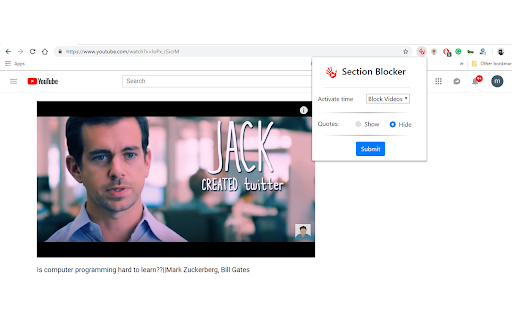
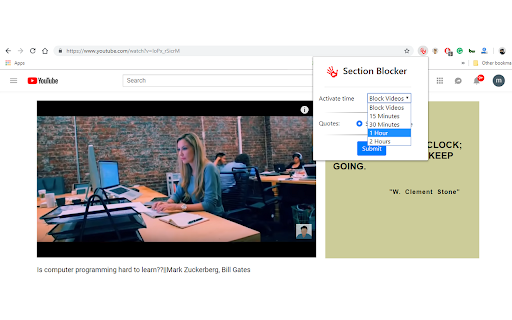
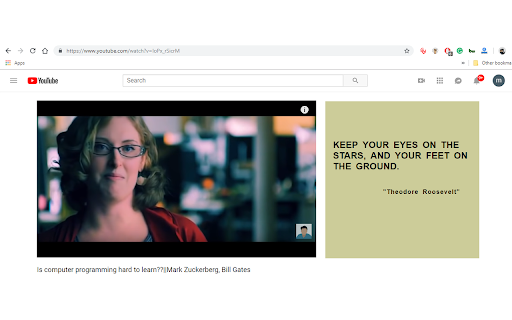
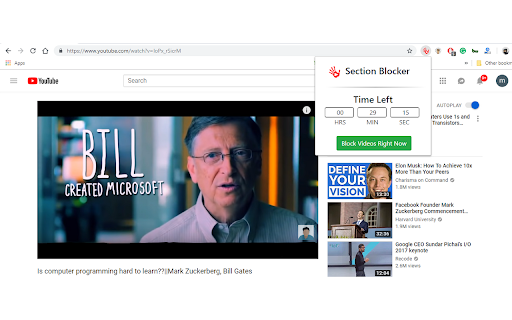
It pull's you out from the youtube world to the real world.
Sick of Irrelevant Youtube Recommended Videos?
Here is a one-stop solution you need. Youtube recommendations can get sickening to the stomach. We all go to see a glimpse of a single video on Youtube but with the eye-catching recommendations, we fall in its time-wasting trap. Video after video, recommendations after recommendations and minute after a minute we just fall deeper and deeper in its mesh trap. Hours can pass without we even getting aware of it. Some of us are better at fighting the urge or at stopping, but it is always hard.
"Section Blocker" will help you to get rid of the recommended videos by popping the motivational quotes in the place of the suggested videos, and gives you the complete control on managing and reducing your youtube consumption.
The user can change the settings from the extension and can see the recommended videos for a limited period of time and once it's over the extension will again block the recommendations automatically.
Let us know if you find any bugs or face any difficulty with the extension, or send feedback to www.mukulkhanna.xyz/sectionblocker/ Or [email protected]
| 分类 | 📝工作流程与规划 |
| 插件标识 | bpndmpfdglbjdgdojafgpihefogghpkk |
| 平台 | Chrome |
| 评分 |
☆☆☆☆☆
|
| 评分人数 | |
| 插件主页 | https://chromewebstore.google.com/detail/section-blocker/bpndmpfdglbjdgdojafgpihefogghpkk |
| 版本号 | 25.2.3.0 |
| 大小 | 68.79KiB |
| 官网下载次数 | 37 |
| 下载地址 | |
| 更新时间 | 2019-03-01 00:00:00 |
CRX扩展文件安装方法
第1步: 打开Chrome浏览器的扩展程序
第2步:
在地址栏输入: chrome://extensions/
第3步: 开启右上角的【开发者模式】
第4步: 重启Chrome浏览器 (重要操作)
第5步: 重新打开扩展程序管理界面
第6步: 将下载的crx文件直接拖入页面完成安装
注意:请确保使用最新版本的Chrome浏览器