
Image URL Oneclick Chrome 插件, crx 扩展下载
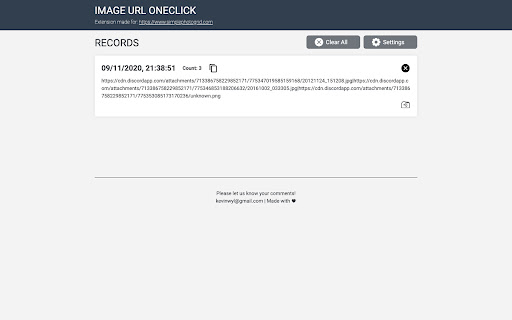

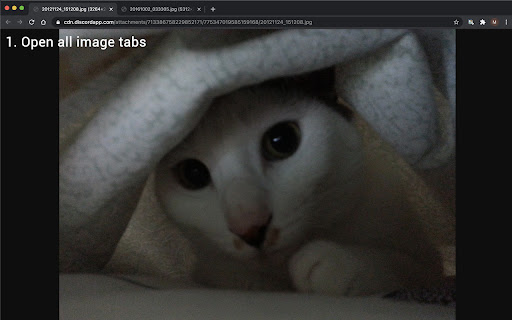
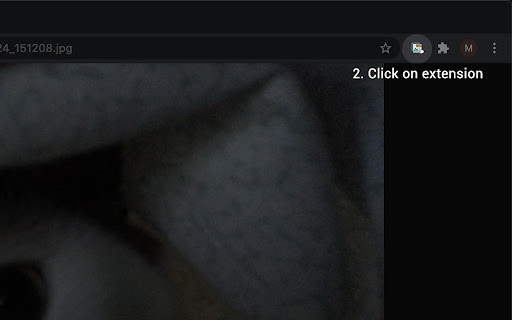
Save your opening image tabs in one click
Image URL Oneclick helps you to store all opening image tab's urls into your browser by simply clicking on the extension icon.
* * * * * * * * * * Latest version: 1.4.0 --- April 7 2021 * * * * * * * * * *
Updates:
1. Update storage location for more storage space
* * * * * * * * * * * * * * * * * * * * * * * * * * * * * * * * * *
* * * * * * * * * * Last version: 1.3.1 --- March 19 2021 * * * * * * * * * *
Updates:
1. Add total count of records and urls saved
2. Add labelling for records
3. Add filter panel, so you can now search records quickly with applying Label/Date/Star filter
4. Bug fixes
* * * * * * * * * * * * * * * * * * * * * * * * * * * * * * * * * *
It is actually tailor-made for my another toy project https://www.simplephotogrid.com, feel free to visit the site and try it out. In spite of it, you can still use it separately as a storage for images' url and easily restore the stored items at any time you like.
We are planning on adding more functions or features to it. Any suggestions and comments are greatly appreciated!
| 分类 | 📝工作流程与规划 |
| 插件标识 | cbgokcojacngdokhalmlajpdjjkbdeob |
| 平台 | Chrome |
| 评分 |
☆☆☆☆☆
|
| 评分人数 | |
| 插件主页 | https://chromewebstore.google.com/detail/image-url-oneclick/cbgokcojacngdokhalmlajpdjjkbdeob |
| 版本号 | 1.0.1 |
| 大小 | 1.2MiB |
| 官网下载次数 | 91 |
| 下载地址 | |
| 更新时间 | 2021-04-07 00:00:00 |
CRX扩展文件安装方法
第1步: 打开Chrome浏览器的扩展程序
第2步:
在地址栏输入: chrome://extensions/
第3步: 开启右上角的【开发者模式】
第4步: 重启Chrome浏览器 (重要操作)
第5步: 重新打开扩展程序管理界面
第6步: 将下载的crx文件直接拖入页面完成安装
注意:请确保使用最新版本的Chrome浏览器