
Dribbble Inspiration Tab by ZODE Chrome 插件, crx 扩展下载
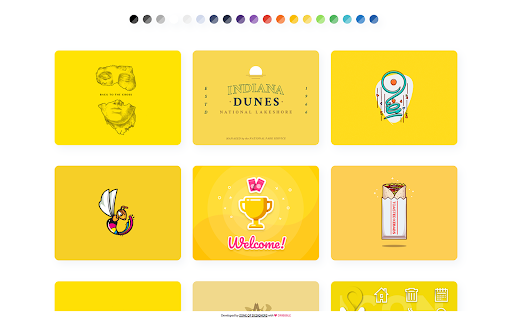
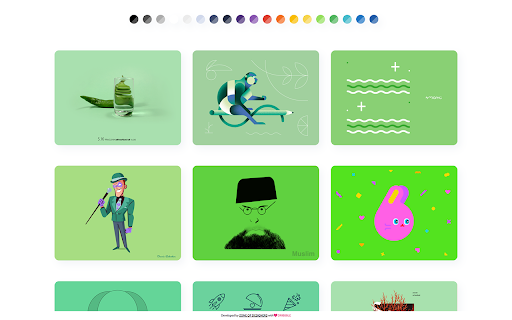

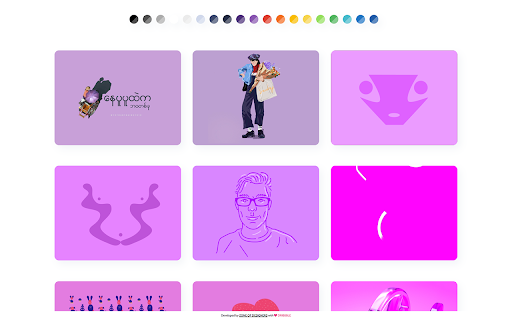
Replaces your New Tab screen with a feed of the latest shots sorted by colors of the Dribbble.
Dribbble Inspiration Tab by ZODE - Zone Of Designers
A different Dribbble Chrome Extension. You choose a color and we will get the latest shots for you! ♥
With The ZODE Extension you can:
• Get shots by color.
• Get design inspiration.
• Look for the best animations
• Shots always open in @2x.
• Infinite Scrolling.
• Directly link to look the shot on Dribbble.
• Look the shots Likes.
• Look the shots Comments.
• Link to Dribble User.
How it works?
Our extension replaces your “New Tab” screen with a feed of the latest shots by colors of the Dribbble. You can select a color in ours pallet of colors or search for a specifically color what you want.
We connect on Dribbble faster and get the latest shots always filtered by color for you!
All the design inspiration you need.
* For questions and infos, contact us at [email protected]*
| 分类 | 📝工作流程与规划 |
| 插件标识 | cdgnmolbecbmkmiookgddndjfpckhagd |
| 平台 | Chrome |
| 评分 |
☆☆☆☆☆
|
| 评分人数 | |
| 插件主页 | https://chromewebstore.google.com/detail/dribbble-inspiration-tab/cdgnmolbecbmkmiookgddndjfpckhagd |
| 版本号 | 25.2.3.0 |
| 大小 | 2.79MiB |
| 官网下载次数 | 355 |
| 下载地址 | |
| 更新时间 | 2023-04-20 00:00:00 |
CRX扩展文件安装方法
第1步: 打开Chrome浏览器的扩展程序
第2步:
在地址栏输入: chrome://extensions/
第3步: 开启右上角的【开发者模式】
第4步: 重启Chrome浏览器 (重要操作)
第5步: 重新打开扩展程序管理界面
第6步: 将下载的crx文件直接拖入页面完成安装
注意:请确保使用最新版本的Chrome浏览器