
Schedule URL [DEV] Chrome 插件, crx 扩展下载
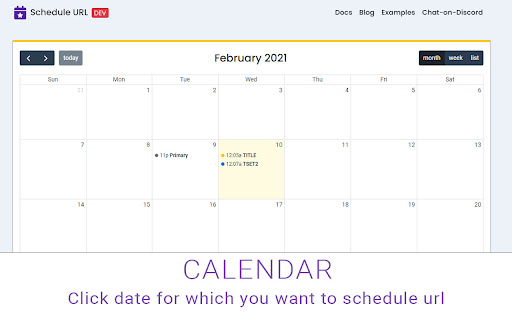
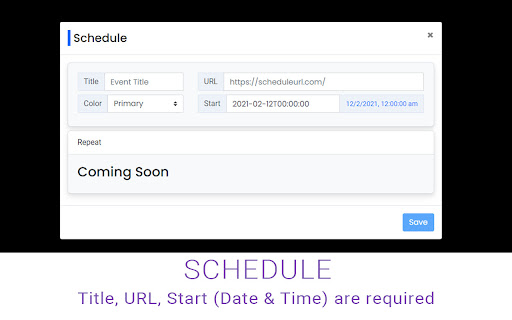
Schedule url to open on specific time and date
Welcome to Schedule URL Dev for Browser!
! ! ! Have question Chat on Discord : https://discord.gg/hArVQns
Schedule a webpage / URL at specific date and time
Schedule URL Dev is browser extension developed with HTML, CSS, JavaScript. Quickly schedule a webpage using URL and date like PRO.
Please note: Dev version might and sometimes most probably will contain bugs ;)
Live on the bleeding edge: Try out our latest features. (They'll be rough around the edges!)
########################## Bugs ############################
Instead of giving a bad rating, please report bugs here:
https://github.com/Dhruv-Techapps/schedule-url/issues
Give early feedback: Let us know what you think and help make Schedule URL for Browser a better extension.
################### Important Link #########################
✔ Official Site - http://scheduleurl.com/
✔ Docs- https://scheduleurl.com/docs/1.0/getting-started/introduction
✔ Privacy Policy - https://dhruv-techapps.github.io/policy
✔ Donation - https://paypal.me/DharmeshH/25?_ga=1.267642062.1305492970.1507529951
| 分类 | 📝工作流程与规划 |
| 插件标识 | cdjfjpoffkbfepobmlegdknkbddecodc |
| 平台 | Chrome |
| 评分 |
☆☆☆☆☆
|
| 评分人数 | |
| 插件主页 | https://chromewebstore.google.com/detail/schedule-url-dev/cdjfjpoffkbfepobmlegdknkbddecodc |
| 版本号 | 25.2.3.0 |
| 大小 | 23.74KiB |
| 官网下载次数 | 576 |
| 下载地址 | |
| 更新时间 | 2021-02-16 00:00:00 |
CRX扩展文件安装方法
第1步: 打开Chrome浏览器的扩展程序
第2步:
在地址栏输入: chrome://extensions/
第3步: 开启右上角的【开发者模式】
第4步: 重启Chrome浏览器 (重要操作)
第5步: 重新打开扩展程序管理界面
第6步: 将下载的crx文件直接拖入页面完成安装
注意:请确保使用最新版本的Chrome浏览器