
Auto-Register Chrome 插件, crx 扩展下载
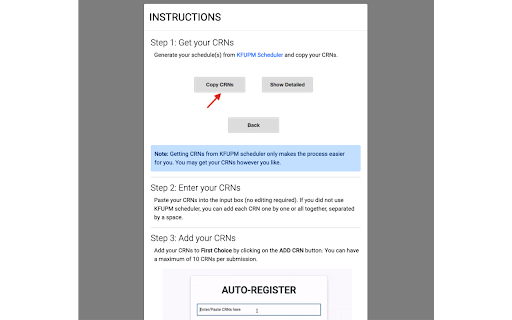
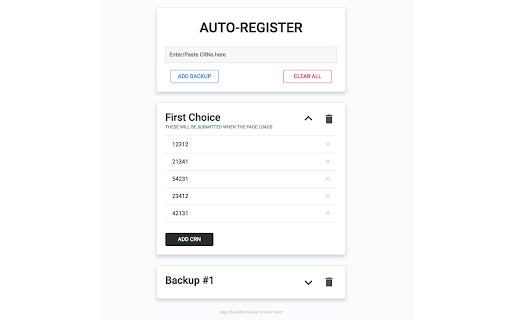
Automate your course registration process
Auto-Register automates the course registration process for KFUPM students by automatically filling and submitting your desired CRNs.
Update v3.6.4 - v3.6.5
- Extension now works for the old registration system also.
Update v3.6.3
- Updated auto-submit function.
Update v3.6.2
- Partial fix for auto-fill/auto-submit for new registration system.
Update v3.6.1
- Since the registration page is changed, here is a temporary update for registration.
The extension may or may not work because it is not yet tested on the new registration page.
Update v3.6:
- Fix for error in autofill.
Update v3.5:
- Updated UI/UX.
- Updated HOW TO USE
- General optimizations.
Update v3.0:
- Added ability to resubmit submissions.
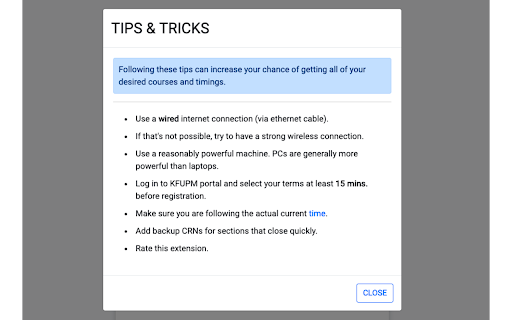
- Added Tips & Tricks.
- Minor optimizations.
Send your feedback here: https://forms.gle/CwoaBLHXn6BjzoiY8
| 分类 | 📝工作流程与规划 |
| 插件标识 | cdnggghhipolhgompbcoofhkebpogdoe |
| 平台 | Chrome |
| 评分 |
☆☆☆☆☆
|
| 评分人数 | |
| 插件主页 | https://chromewebstore.google.com/detail/auto-register/cdnggghhipolhgompbcoofhkebpogdoe |
| 版本号 | 3.6.5 |
| 大小 | 808KiB |
| 官网下载次数 | 3000 |
| 下载地址 | |
| 更新时间 | 2019-11-15 00:00:00 |
CRX扩展文件安装方法
第1步: 打开Chrome浏览器的扩展程序
第2步:
在地址栏输入: chrome://extensions/
第3步: 开启右上角的【开发者模式】
第4步: 重启Chrome浏览器 (重要操作)
第5步: 重新打开扩展程序管理界面
第6步: 将下载的crx文件直接拖入页面完成安装
注意:请确保使用最新版本的Chrome浏览器