
The Pirate Bay unblocker Chrome 插件, crx 扩展下载
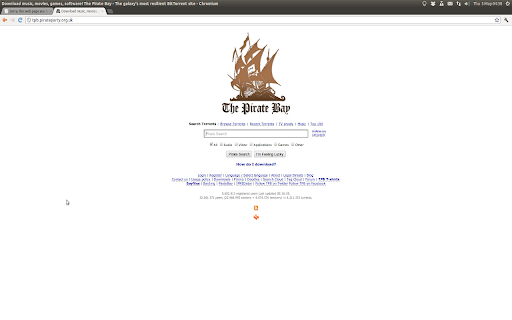
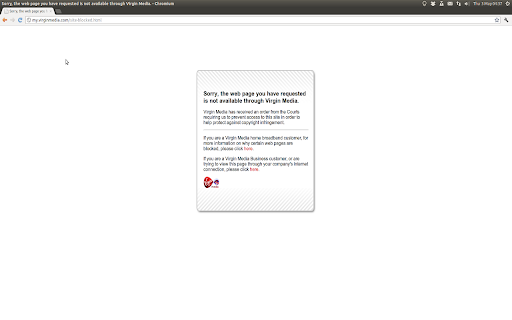
An extenstion that unblocks The Pirate Bay by redirecting to a proxy
This now works for links on Google and when using the address bar
Changelog:
Version 1.16:
- Changed the default proxy to rekt.club
Version 1.15:
- Changed the default proxy to ilikerainbows.co.uk
Version 1.14:
- Changed the default proxy to pirateproxy.bz
Version 1.13:
- Changed the default proxy to zeroproxy.me
Version 1.12:
- Changed the default proxy to thebootlegbay.com
Version 1.11:
- Changed the default proxy to fastpiratebay.eu
Version 1.10:
- Changed the default proxy to bayproxy.com
Version 1.9 :
- Unblocked thepiratebay.ac
Version 1.8 :
- Changed the default proxy to tpbunblocker.com
Version 1.7 :
- Changed the default proxy to tpbunblocked.com as the
pirateproxy.net is now blocked.
Version 1.6 :
- Unblocked the piratebay.sx domain
Version 1.5 :
- Unblocked the piratebay.is domain
Version 1.4 :
- Added an options page so that you can change the proxy used.
Version 1.3 :
- Changed the proxy to pirateproxy.net, this is due to tpb.pirateparty.org.uk no longer being available.
| 分类 | 📝工作流程与规划 |
| 插件标识 | cechdibmaolglcdioefoikpknppdekpc |
| 平台 | Chrome |
| 评分 |
☆☆☆☆☆
|
| 评分人数 | |
| 插件主页 | https://chromewebstore.google.com/detail/the-pirate-bay-unblocker/cechdibmaolglcdioefoikpknppdekpc |
| 版本号 | 25.2.3.0 |
| 大小 | 13.71KiB |
| 官网下载次数 | 3000 |
| 下载地址 | |
| 更新时间 | 2014-12-02 00:00:00 |
CRX扩展文件安装方法
第1步: 打开Chrome浏览器的扩展程序
第2步:
在地址栏输入: chrome://extensions/
第3步: 开启右上角的【开发者模式】
第4步: 重启Chrome浏览器 (重要操作)
第5步: 重新打开扩展程序管理界面
第6步: 将下载的crx文件直接拖入页面完成安装
注意:请确保使用最新版本的Chrome浏览器