
CMAS-聚合搜索 Chrome 插件, crx 扩展下载
CMAS - Context Menu Aggregate Search (右键聚合搜索)
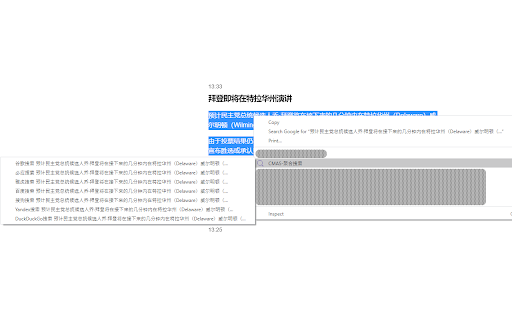
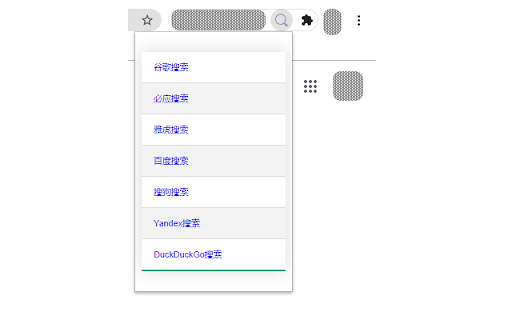
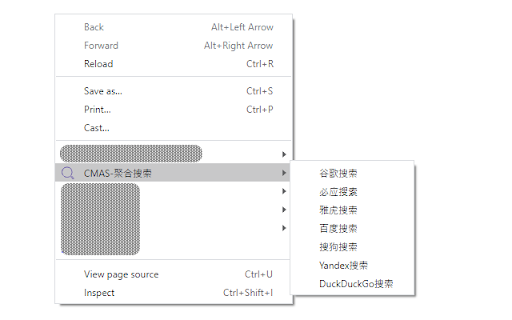
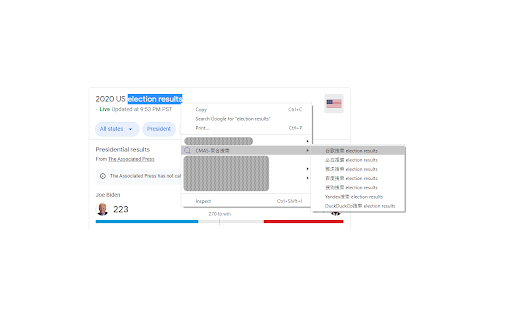
集成多个搜索引擎到Chrome右键菜单,可以一键直达这些搜索引擎的主页面。同时支持划词搜索,在一个页面划词之后,可以直接以你选中的词为关键字进行搜索,非常的方便。支持的搜索引擎列表:谷歌搜索、必应搜索、、雅虎搜索、百度搜索等。
Integrate multiple search engines into the Chrome right-click menu, and you can directly access the main pages of these search engines with one click. At the same time, it supports word search. After wording on a page, you can directly search with the word you selected as the keyword, which is very convenient. List of supported search engines: Google search, Bing search, Yahoo search, Baidu search, etc.
| 分类 | 📝工作流程与规划 |
| 插件标识 | cekilcbhgbldeoodehddneajfhpdjkke |
| 平台 | Chrome |
| 评分 |
☆☆☆☆☆
|
| 评分人数 | |
| 插件主页 | https://chromewebstore.google.com/detail/cmas-聚合搜索/cekilcbhgbldeoodehddneajfhpdjkke |
| 版本号 | 25.2.3.0 |
| 大小 | 97.96KiB |
| 官网下载次数 | 66 |
| 下载地址 | |
| 更新时间 | 2020-11-06 00:00:00 |
CRX扩展文件安装方法
第1步: 打开Chrome浏览器的扩展程序
第2步:
在地址栏输入: chrome://extensions/
第3步: 开启右上角的【开发者模式】
第4步: 重启Chrome浏览器 (重要操作)
第5步: 重新打开扩展程序管理界面
第6步: 将下载的crx文件直接拖入页面完成安装
注意:请确保使用最新版本的Chrome浏览器