
Now You (Don't) See Me Chrome 插件, crx 扩展下载
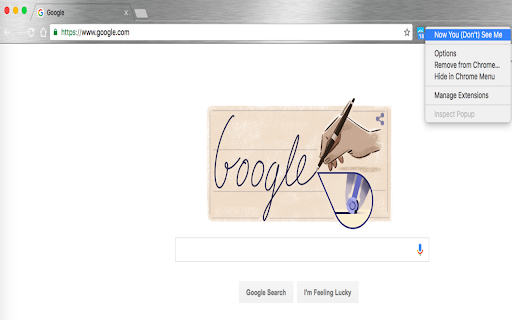
This Chrome extension will help you to close all the tabs, save them into a temp folder, and restore them with one button.
Sometimes I don't feel comfortable letting people see the content I am currently browsing when they passing by. Whenever you want to hide all of your tabs,this Chrome extension will help you to close all the tabs, save them into a temporary bookmark folder, and restore them later with one button.
With this extension, users will be able to:
- [ ] Hide ( & bookmark) all the tabs with one click.
- [ ] Restore ( & remove the temporary bookmarks) all the tabs with one click.
- [ ] Use Hotkey to hide & restore.
"windows": "Ctrl+Shift+A",
"mac": "Command+Shift+A",
"chromeos": "Ctrl+Shift+A",
"linux": "Ctrl+Shift+A"
- [ ] Open your preset homepage when hiding all the tabs.
| 分类 | ♿无障碍访问 |
| 插件标识 | chbfbamopjjdfodhafkjhpbolcpnijio |
| 平台 | Chrome |
| 评分 |
☆☆☆☆☆
|
| 评分人数 | |
| 插件主页 | https://chromewebstore.google.com/detail/now-you-dont-see-me/chbfbamopjjdfodhafkjhpbolcpnijio |
| 版本号 | 0.8.3 |
| 大小 | 57.24KiB |
| 官网下载次数 | 390 |
| 下载地址 | |
| 更新时间 | 2016-09-30 00:00:00 |
CRX扩展文件安装方法
第1步: 打开Chrome浏览器的扩展程序
第2步:
在地址栏输入: chrome://extensions/
第3步: 开启右上角的【开发者模式】
第4步: 重启Chrome浏览器 (重要操作)
第5步: 重新打开扩展程序管理界面
第6步: 将下载的crx文件直接拖入页面完成安装
注意:请确保使用最新版本的Chrome浏览器