
Kickmoji Chrome 插件, crx 扩展下载
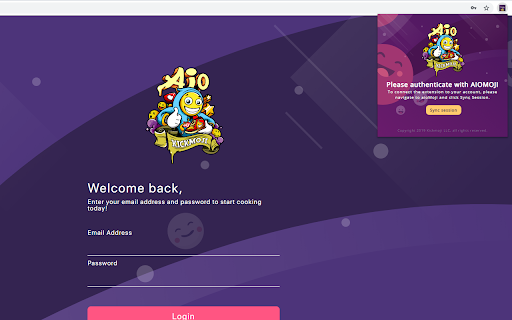
Utility extension for Aiomoji.
A simple utility to find Shopify shipping rates for your Aiomoji profiles and get Shopify product variants.
How to sync session: This extension uses the same session as the Aiomoji website. Login to Aiomoji and while on the Aiomoji tab open the extension and click the sync session button. The synced session will expire after sometime and will log you out. You can sync session as often as you want to prevent it from logging you out.
How to use this: Sync your session with the Aiomoji website. Go to the Shopify site that you want to get the shipping rate. Add a product to the cart and go to the checkout page. In the checkout process when you are asked to fill out the shipping information. Clicking a profile from the list on the top right will automatically fill in the form with the profile you created on Aiomoji. You can also manually enter the shipping rate if you would prefer. Once on the shipping rate page click the "get shipping rate" button and it will be copied to your clipboard.
How to get variants: Sync your session with the Aiomoji website. Go to a product on a Shopify site and click "get variants" and they will be copied to your clipboard.
Notes:
1. You are only able to use this extension if you have a active Aiomoji account.
2. If you find a bug please create a ticket in the discord.
Privacy Policy:
https://docs.google.com/document/d/1wQG3e5TG-s4UCl49hi-MAaItw9yJfdYFP5w8s_kIaXI
Terms and conditions: https://docs.google.com/document/d/1FdrXpymJVyxHyv0NH41bDI5Ng3aUePlB1PPlI3JJiOg
| 分类 | 🛍️购物 |
| 插件标识 | ckapaombhfnomlahpkbloippilkghpjn |
| 平台 | Chrome |
| 评分 |
☆☆☆☆☆
|
| 评分人数 | |
| 插件主页 | https://chromewebstore.google.com/detail/kickmoji/ckapaombhfnomlahpkbloippilkghpjn |
| 版本号 | 7.23.0.672 |
| 大小 | 356KiB |
| 官网下载次数 | 287 |
| 下载地址 | |
| 更新时间 | 2020-01-12 00:00:00 |
CRX扩展文件安装方法
第1步: 打开Chrome浏览器的扩展程序
第2步:
在地址栏输入: chrome://extensions/
第3步: 开启右上角的【开发者模式】
第4步: 重启Chrome浏览器 (重要操作)
第5步: 重新打开扩展程序管理界面
第6步: 将下载的crx文件直接拖入页面完成安装
注意:请确保使用最新版本的Chrome浏览器