
Wikipedia Popup Chrome 插件, crx 扩展下载
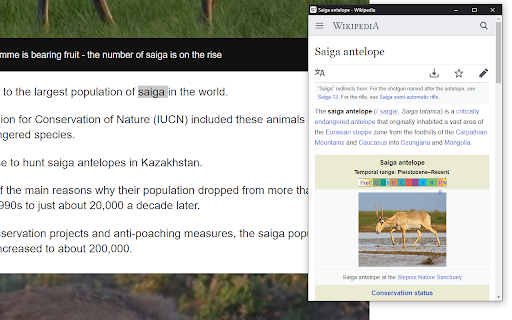
Wikipedia popup for selected text
Select some text on a webpage and press Alt+W to quickly view the Wikipedia entry for your selection.
????????:
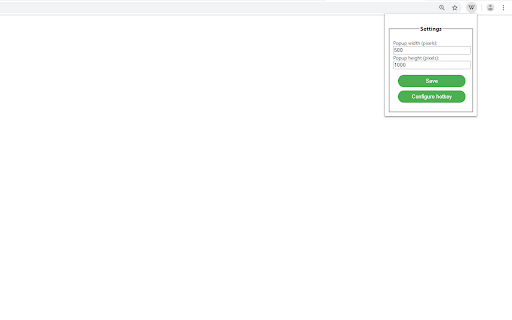
• Customizable default popup panel size (Click extension icon to configure).
• Does not clutter history.
• Uses mobile version of Wikipedia for enhanced readability.
• Syncs settings across Chrome browsers with your account.
• Context menu option for when you're tired of spamming hotkeys.
• Supports over 300 languages of Wikipedia.
To change the default hotkey, click on the extension icon and click the 'Configure hotkey' button.
source code:
https://github.com/D4D3VD4V3/wikipedia-popup-chrome-extension
| 分类 | 📝工作流程与规划 |
| 插件标识 | cleeghampfhpphpmcjimpmcamadmmilm |
| 平台 | Chrome |
| 评分 |
☆☆☆☆☆
|
| 评分人数 | |
| 插件主页 | https://chromewebstore.google.com/detail/wikipedia-popup/cleeghampfhpphpmcjimpmcamadmmilm |
| 版本号 | 1.1.0 |
| 大小 | 12.51KiB |
| 官网下载次数 | 276 |
| 下载地址 | |
| 更新时间 | 2022-02-08 00:00:00 |
CRX扩展文件安装方法
第1步: 打开Chrome浏览器的扩展程序
第2步:
在地址栏输入: chrome://extensions/
第3步: 开启右上角的【开发者模式】
第4步: 重启Chrome浏览器 (重要操作)
第5步: 重新打开扩展程序管理界面
第6步: 将下载的crx文件直接拖入页面完成安装
注意:请确保使用最新版本的Chrome浏览器