
Deezer Control Chrome 插件, crx 扩展下载
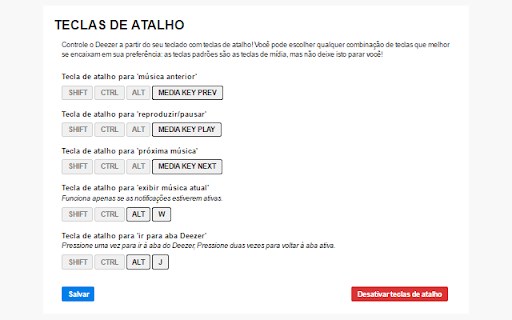
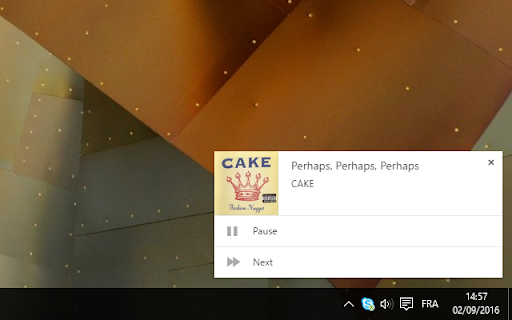
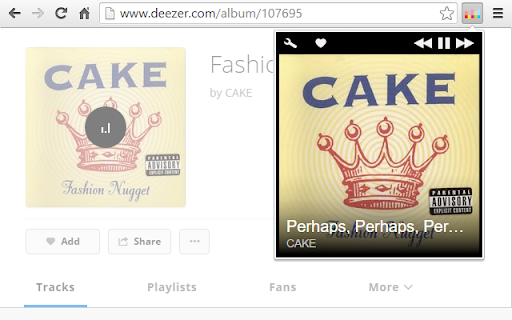
This extension allows you to control Deezer from your browser: hot keys, popup, notifications... it's all there!
It takes the form of a popup that allows you to quickly pause, resume or navigate through the music currently playing on Deezer.
It displays the album cover along with the the track's title and the artist's name.
Several different styles can be chosen for the popup, to match everybody's needs.
You just want to know the name of the song? Then simply hover your cursor on the icon and it will be displayed in the tooltip.
A popup is a waste of mouse movement? Use the hot keys, and control Deezer straight from your keyboard! Multimedia keys, or any combination of keys, the choice is yours.
But wait, there's more! You can display notifications, and you can even choose when they appear: always? on hot keys only? The choice is yours.
Want more popup styles? Need new functionality? Drop me a line at [email protected]!
You can also check out the code, as it's open source! Go there: https://bitbucket.org/metoule/deezer_control
NOTE: this extension is NOT developed by Deezer.
| 分类 | 👥社交 |
| 插件标识 | cmkmelneeccijablfclenghkcbopdemg |
| 平台 | Chrome |
| 评分 |
☆☆☆☆☆
|
| 评分人数 | |
| 插件主页 | https://chromewebstore.google.com/detail/deezer-control/cmkmelneeccijablfclenghkcbopdemg |
| 版本号 | 3.128.4 |
| 大小 | 113KiB |
| 官网下载次数 | 10000 |
| 下载地址 | |
| 更新时间 | 2024-06-03 00:00:00 |
CRX扩展文件安装方法
第1步: 打开Chrome浏览器的扩展程序
第2步:
在地址栏输入: chrome://extensions/
第3步: 开启右上角的【开发者模式】
第4步: 重启Chrome浏览器 (重要操作)
第5步: 重新打开扩展程序管理界面
第6步: 将下载的crx文件直接拖入页面完成安装
注意:请确保使用最新版本的Chrome浏览器