
AEM Front Extension Chrome 插件, crx 扩展下载
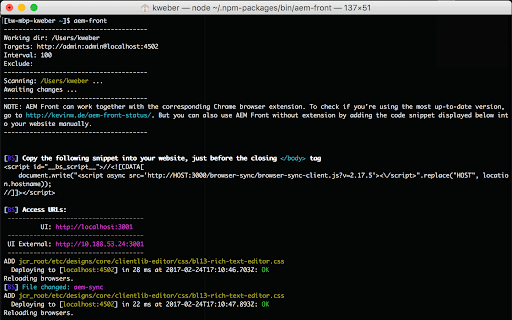
Add BrowserSync script to all relevant AEM pages. Plus extras to get work done faster.
This extension works together with the AEM Front module for NPM. It makes work for AEM developers easier by removing the necessity for the painful manual reload of pages. More on https://kevinw.de/aem-front/
A page reload is necessary whenever code changes got deployed into the AEM instance, and not – opposed to static websites – when a HTML or similar file has been saved.
Usage:
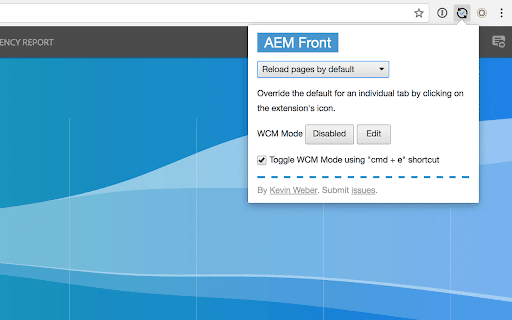
- Use the keyboard shortcut `cmd + e` to switch between WCM Mode "disabled" and "edit". Use the shortcut to automatically open "disabled" if you're on an "edit" page, and the other way around. (If the shortcut doesn't work, click on the page you're on to make sure it is focused. Then try again.)
- Click on the app icon to open a popup with multiple configuration options.
| 分类 | 💻开发者工具 |
| 插件标识 | cmpbphecgagbhhociicpakhddeagjlih |
| 平台 | Chrome |
| 评分 |
☆☆☆☆☆
|
| 评分人数 | |
| 插件主页 | https://chromewebstore.google.com/detail/aem-front-extension/cmpbphecgagbhhociicpakhddeagjlih |
| 版本号 | 8.3 |
| 大小 | 20.08KiB |
| 官网下载次数 | 306 |
| 下载地址 | |
| 更新时间 | 2017-10-28 00:00:00 |
CRX扩展文件安装方法
第1步: 打开Chrome浏览器的扩展程序
第2步:
在地址栏输入: chrome://extensions/
第3步: 开启右上角的【开发者模式】
第4步: 重启Chrome浏览器 (重要操作)
第5步: 重新打开扩展程序管理界面
第6步: 将下载的crx文件直接拖入页面完成安装
注意:请确保使用最新版本的Chrome浏览器