
MathTeX Editor Professional Chrome 插件, crx 扩展下载

Wysiwyg and Visual Math, LaTeX or TeX, AsciiMath, MathML and HTML Editor developed in HTML5
Release 2.2.6 - Removed some permissions not required from file manifest of extension
==============
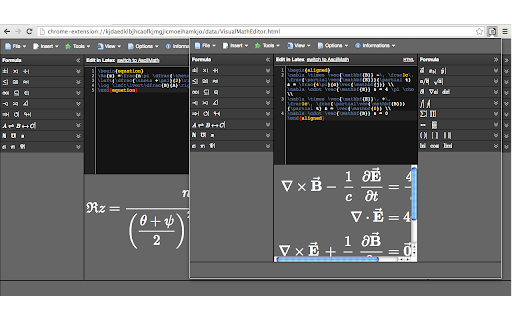
MathTeX is LaTeX, Ascii Mathematical, HTML and MathML editor and offers many tex or LaTeX and also AsciiMath symbols ready to use.
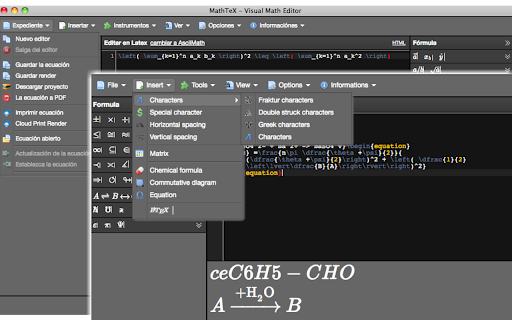
- Is internationalized and support language: Français, Tiếng Việt, Deutsch, Español, русский and العربية.
- Is customizable with 5 elegants themes
- Equation Editor Samples: Science equation models, Chemical formula samples, Commutative diagram samples
- Export whole project to zip archive
- Save in single file equations (txt and pdf format) and render result as html format
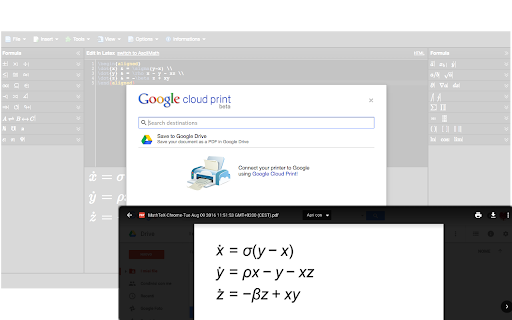
- Cloud Print input and render result and also you can to save in Google Drive
- Keyboard shortcuts advanced to search and replace string in code textarea
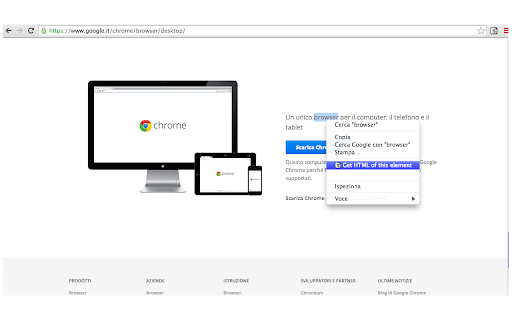
- Import html element of web page in code Text-area of MathTeX using context menu
- Edit advanced options for editor and save settings in local disk
| 分类 | 📝工作流程与规划 |
| 插件标识 | cpbmlaegfjocbmpdhfinofacoihppogf |
| 平台 | Chrome |
| 评分 |
☆☆☆☆☆
|
| 评分人数 | |
| 插件主页 | https://chromewebstore.google.com/detail/mathtex-editor-profession/cpbmlaegfjocbmpdhfinofacoihppogf |
| 版本号 | 2.2.6.1 |
| 大小 | 3.67MiB |
| 官网下载次数 | 104 |
| 下载地址 | |
| 更新时间 | 2023-10-07 00:00:00 |
CRX扩展文件安装方法
第1步: 打开Chrome浏览器的扩展程序
第2步:
在地址栏输入: chrome://extensions/
第3步: 开启右上角的【开发者模式】
第4步: 重启Chrome浏览器 (重要操作)
第5步: 重新打开扩展程序管理界面
第6步: 将下载的crx文件直接拖入页面完成安装
注意:请确保使用最新版本的Chrome浏览器