
CMS Enhancer Chrome 插件, crx 扩展下载
Enhances your experience on the student portal for COMSATS University
This add-on gets data from the CMS and calculates your GPA, internal marks etc. so you don't have to. Also has a dark mode for the CMS. Right now it has the following features:
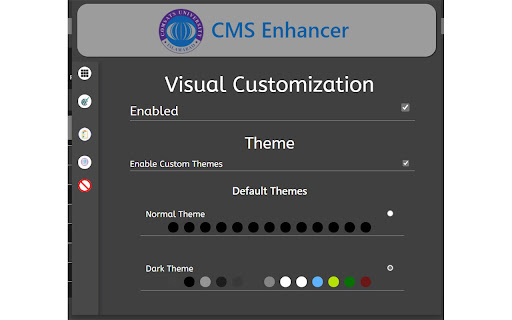
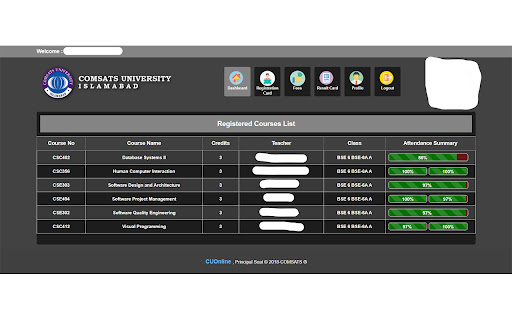
1- Themes for CMS
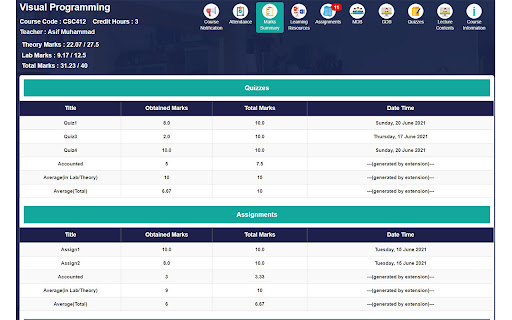
2- Calculate internal marks
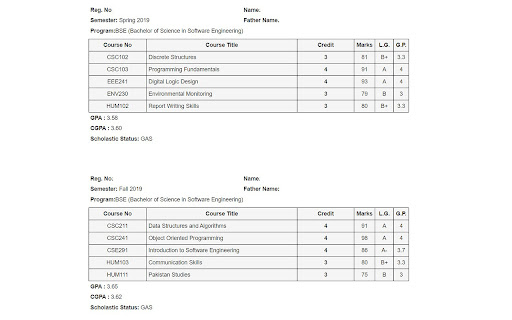
3- Calculate GPA for each semester individually
4- Block annoying popup messages
--------------------------------------------------------------------------------------------------------------------------------------------------
Version 1.4:
- Mark summary marks now show in tables instead of text
- Mark summary along with calculated marks can be downloaded as a text file be pressing the save as text file button
- There are more options available for mark calculation along with internal marks (click on extension button to access)
--------------------------------------------------------------------------------------------------------------------------------------------------
Version 1.3:
- Added Support for Midterm Marks Calculation
--------------------------------------------------------------------------------------------------------------------------------------------------
Version 1.2:
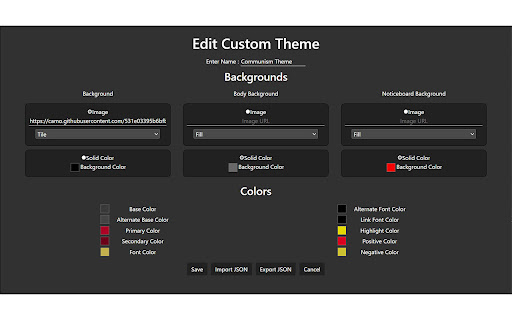
- Added Themes
- Use dark and light Themes (old dark mode is removed)
- Create your own Themes
- Share your Themes
- Change Themes from the popup
- Added Support for more campuses
- Lahore Campus
- Attock Campus
- Sahiwal Campus
- Vehari Campus
- Wah Campus
| 分类 | ♿无障碍访问 |
| 插件标识 | dahofhjgpkjjmdfjmfpdfeajajalonmm |
| 平台 | Chrome |
| 评分 |
☆☆☆☆☆
|
| 评分人数 | |
| 插件主页 | https://chromewebstore.google.com/detail/cms-enhancer/dahofhjgpkjjmdfjmfpdfeajajalonmm |
| 版本号 | 2.19.1 |
| 大小 | 2.45MiB |
| 官网下载次数 | 370 |
| 下载地址 | |
| 更新时间 | 2022-01-03 00:00:00 |
CRX扩展文件安装方法
第1步: 打开Chrome浏览器的扩展程序
第2步:
在地址栏输入: chrome://extensions/
第3步: 开启右上角的【开发者模式】
第4步: 重启Chrome浏览器 (重要操作)
第5步: 重新打开扩展程序管理界面
第6步: 将下载的crx文件直接拖入页面完成安装
注意:请确保使用最新版本的Chrome浏览器