
HueTab | Colors for Ultimate Guitar Chrome 插件, crx 扩展下载
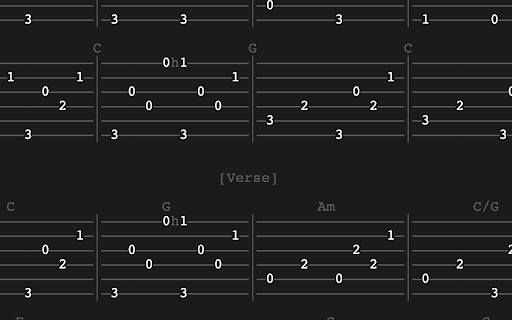

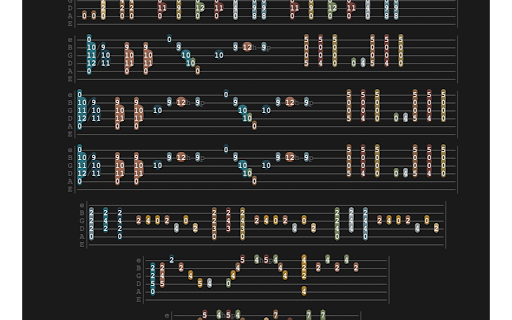
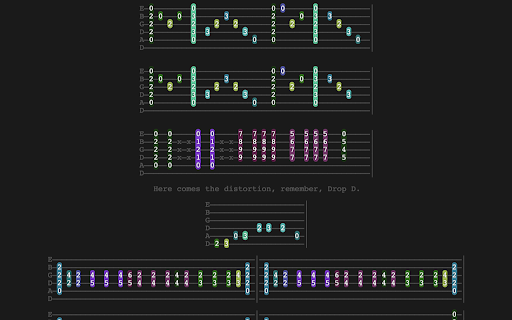
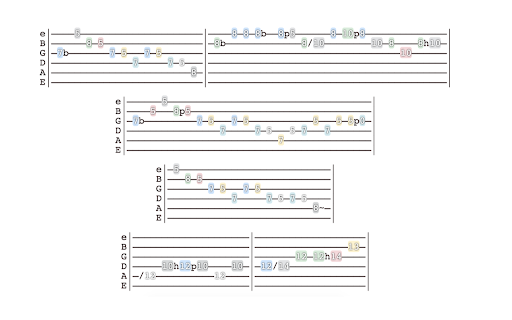
Beautify Ultimate Guitar tabs and use color to enhance your pattern recognition.
————————————————————————————————————————————————————
It color-codes unique notes and chords in any tab, helping you visualize songs while learning.
————————————————————————————————————————————————————
Awesome way to learn and recognize patterns, repetitions, and transitions.
————————————————————————————————————————————————————
Use with any background color, text color, text size, or text alignment you like.
————————————————————————————————————————————————————
Can be used to create a basic "dark mode" theme by choosing 'none' for the color theme.
————————————————————————————————————————————————————
Automatically saves your customized look so it is ready to transform each new song you open.
————————————————————————————————————————————————————
Youtube Demo:
https://youtu.be/XCvOx7SoWKA
Please leave feedback in the reviews or comments!
| 分类 | 🎉趣味休闲 |
| 插件标识 | dallnmljjnjlfgcljhjahhhdfpojnbfc |
| 平台 | Chrome |
| 评分 |
☆☆☆☆☆
|
| 评分人数 | |
| 插件主页 | https://chromewebstore.google.com/detail/huetab-colors-for-ultimat/dallnmljjnjlfgcljhjahhhdfpojnbfc |
| 版本号 | 3.0.0.18 |
| 大小 | 64.07KiB |
| 官网下载次数 | 146 |
| 下载地址 | |
| 更新时间 | 2022-11-13 00:00:00 |
CRX扩展文件安装方法
第1步: 打开Chrome浏览器的扩展程序
第2步:
在地址栏输入: chrome://extensions/
第3步: 开启右上角的【开发者模式】
第4步: 重启Chrome浏览器 (重要操作)
第5步: 重新打开扩展程序管理界面
第6步: 将下载的crx文件直接拖入页面完成安装
注意:请确保使用最新版本的Chrome浏览器