
38-Language Tooltip Dictionary Chrome 插件, crx 扩展下载
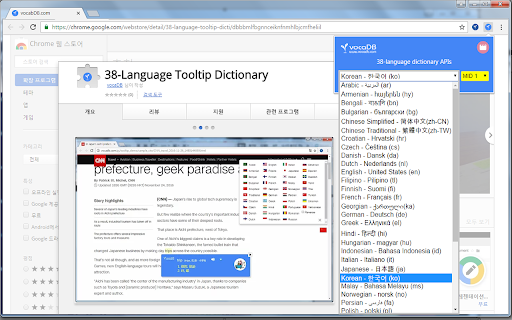

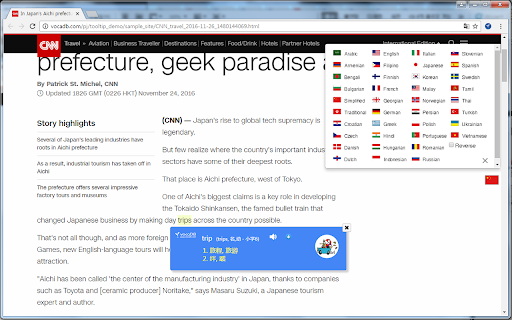
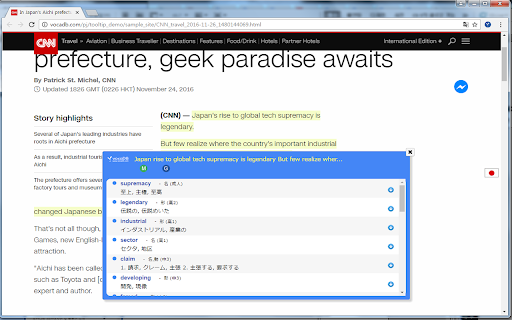
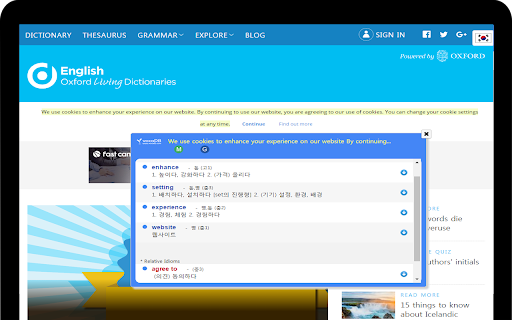
38-Language Dictionary using Tooltip
"Extract and Save my words"
VocaDB developed a useful word search solution to help users have a more convenient language learning.
Instead of typing in a dictionary's input field for every search, VocaDB Tooltip enables users to find dictionary information by simply selecting a word or text, either by clicking or highlighting.
Our Tooltip uses extraction technology and provides translated definitions.
It supports 38 languages and translation.
It is powered by VocaDB's Tooltip API, Extraction API, and the APIs of Google Translate and MS Bing.
Also we launched android and iOS Apps.
Google Tap to translate vs. vocaDB.com : https://youtu.be/89SLvpmnejo (May, 2016)
Google chorme extension vs. vocaDB.com : https://youtu.be/ajAHxExa6m8
Samsung Note7 vs. vocaDB.com https://youtu.be/KwZDb02FtE4 (August, 2016)
vocaDB.com
vocabDB.com
보카디비 툴팁 번역, 사전
dictionary, translation, translate, vocabulary, language, search
| 分类 | 🛠️工具 |
| 插件标识 | dbbbmlfbgnnceiknfnmhlbjcmfheliil |
| 平台 | Chrome |
| 评分 |
☆☆☆☆☆
|
| 评分人数 | |
| 插件主页 | https://chromewebstore.google.com/detail/38-language-tooltip-dicti/dbbbmlfbgnnceiknfnmhlbjcmfheliil |
| 版本号 | 1.0.0.47 |
| 大小 | 106KiB |
| 官网下载次数 | 193 |
| 下载地址 | |
| 更新时间 | 2016-11-29 00:00:00 |
CRX扩展文件安装方法
第1步: 打开Chrome浏览器的扩展程序
第2步:
在地址栏输入: chrome://extensions/
第3步: 开启右上角的【开发者模式】
第4步: 重启Chrome浏览器 (重要操作)
第5步: 重新打开扩展程序管理界面
第6步: 将下载的crx文件直接拖入页面完成安装
注意:请确保使用最新版本的Chrome浏览器