
NightTimeFP theme Chrome 插件, crx 扩展下载
Extension to enable multiple themes or specific styles to be applied over css on floatplane.com site.
This extension helps apply specific theme for floatplane.com service.
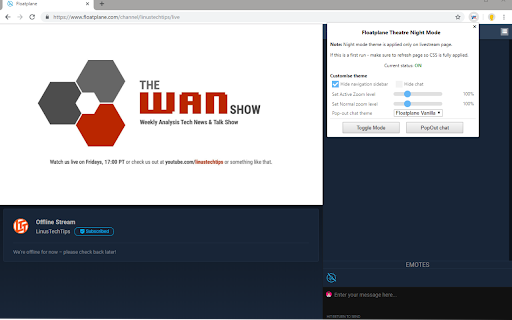
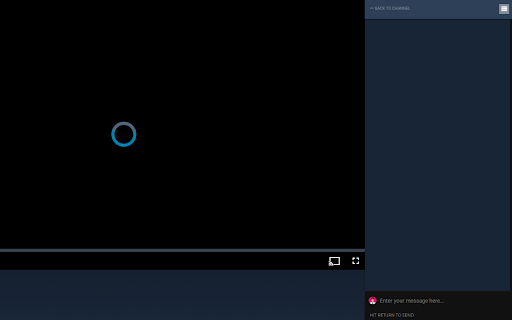
Supporting only simple Theater Night Mode.
*** On a first run - make sure to refresh FP page so CSS is fully applied. ***
Tell me what you think - https://sites.google.com/view/floatplane-theme
THE STUFF:
* WAN Show Countdown
* Change chat font size
* Change the width of the chat
* Hide title & description
* Add space above the video, make video full width
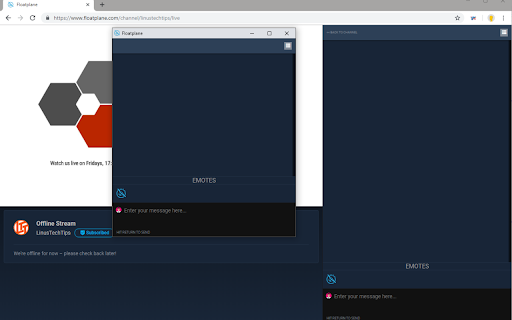
* Option to pop the chat in a new window
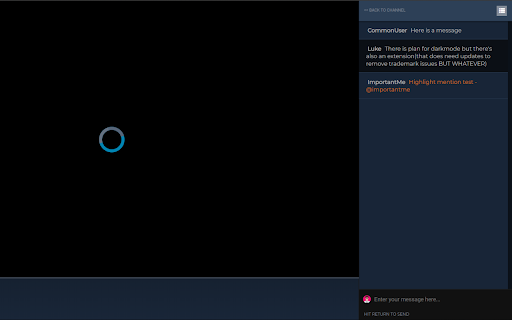
* When you click on username in chat it will add it to chatbox @<user>
Change-log (minor fixes not listed):
* 1.21: Beta site colors updated, countdown to WAN moved for 4.30PM PST
* 1.20: Add beta site support, fix some username and scrollbar colors
* 1.19: CSS updates, console errors resolved
* 1.18.5: CSS styling updated again - changes on FP side again
* 1.18.4: Fixed CSS styling - as there were some changes on FP side
* 1.18.3: Fixed Pop-out chat not loading
* 1.18: Added WAN Show Countdown and option to show/hide it; Found a bug link
* 1.17: Added option to change the width of the chat
* 1.16: Theme management, hide stream description, replace zoom with chat font size option
* 1.15: Added options to add/remove space around the video
* 1.14: Added @mentions on username click
* 1.13: Select permanent theme for pop-out chat
* 1.12: Option to hide chat on main live page
* 1.11: Option to pop the chat in a new window
* 0.1.10: Added option for customisation to pop-up
* 0.1.9.1: Now coloring chat text if you are "mentioned"
How it works?
* Go to live-stream page of your creator and toggle mode with click on the icon (top, right)
The setting is persistent - so next time you visit the page it will automatically activate.
| 分类 | ♿无障碍访问 |
| 插件标识 | dbbmdjoffmonclocgopapbmbabhhacbg |
| 平台 | Chrome |
| 评分 |
☆☆☆☆☆
|
| 评分人数 | |
| 插件主页 | https://chromewebstore.google.com/detail/nighttimefp-theme/dbbmdjoffmonclocgopapbmbabhhacbg |
| 版本号 | 2.19.1 |
| 大小 | 104KiB |
| 官网下载次数 | 324 |
| 下载地址 | |
| 更新时间 | 2023-04-16 00:00:00 |
CRX扩展文件安装方法
第1步: 打开Chrome浏览器的扩展程序
第2步:
在地址栏输入: chrome://extensions/
第3步: 开启右上角的【开发者模式】
第4步: 重启Chrome浏览器 (重要操作)
第5步: 重新打开扩展程序管理界面
第6步: 将下载的crx文件直接拖入页面完成安装
注意:请确保使用最新版本的Chrome浏览器