
Manga Downloader Chrome 插件, crx 扩展下载
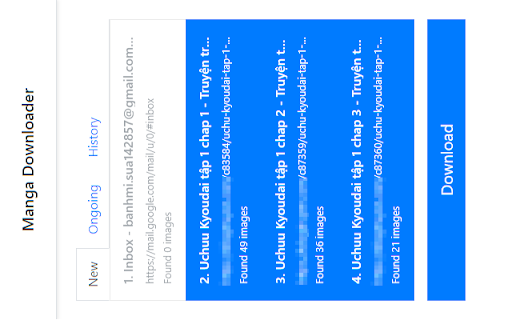
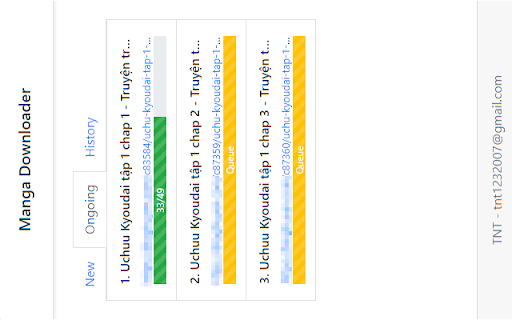
Downloading images naming in order, from multiple tabs into separate folders
A powerful manga downloader as Chrome extensions. Specialized in downloading images naming in order, from multiple tabs into separate folders.
Release Notes:
v3.0.0
[Feature] Button to manual download image
[UI] Add more tooltip, longer delay
[UI] Adjust margin, change tab index
[UI] Change folder name regex
[Bug] History null pointer first time install
[Bug] History not updated after a tab is finished
[Bug] Images sometimes downloaded without correct filename and location
[Refactor] Background download flow
v2.9.0
[Feature] Expand tab item to show download details
[Feature] Failed images log error to console in the tab, and the tab will not be closed
[UI] Show history in reverse
[Bug] Retry process causing images to download multiple times
[Bug] Fix CORS error hang the whole process
v2.8.0
[Feature] Enhance performance when download from hosts that forbidden
[Feature] Use chrome webrequest permission to bypass CORS errors
[Feature] Add Image status tracking (behind the scene)
[Bug] Fix progress stuck when download 404 image, and CORS error image
[Bug] Fix new tabs not filtered correctly since ID can be duplicated
v2.7.0
[Feature] Button to add all current images to exclude URLS
[Bug] Abort ongoing not clear progress
[Bug] Workaround for Error "Tabs cannot be edited right now (user may be dragging a tab)"
[Bug] New Tab load missing images due to width/height not initialized yet
[Bug] Progress stuck on 404 error
[UI] Show display name, version, author from package.json
[UI] Bigger Refresh button when hide Download button
v2.6.0
[Feature] Refresh new tab, to load new changes
[Feature] Abort ongoing tab, clear and reset tab that in progress. No need to remove/re-add the extension anymore.
[Feature] Button to add all current images to exclude URLS
| 分类 | 💻开发者工具 |
| 插件标识 | dcaaabmopjlkogkeahlbehpnppgleahf |
| 平台 | Chrome |
| 评分 |
☆☆☆☆☆
|
| 评分人数 | |
| 插件主页 | https://chromewebstore.google.com/detail/manga-downloader/dcaaabmopjlkogkeahlbehpnppgleahf |
| 版本号 | 1.0.6 |
| 大小 | 1.16MiB |
| 官网下载次数 | 5000 |
| 下载地址 | |
| 更新时间 | 2021-08-29 00:00:00 |
CRX扩展文件安装方法
第1步: 打开Chrome浏览器的扩展程序
第2步:
在地址栏输入: chrome://extensions/
第3步: 开启右上角的【开发者模式】
第4步: 重启Chrome浏览器 (重要操作)
第5步: 重新打开扩展程序管理界面
第6步: 将下载的crx文件直接拖入页面完成安装
注意:请确保使用最新版本的Chrome浏览器